
Building an AI Shopping Agent with Aurpay REST API: A Claude Code Tutorial (2026)
 Ricky
Ricky

This is a developer tutorial for wiring up an autonomous shopping agent that can browse, decide, and pay using Aurpay’s REST API from a Claude Code-style agent loop. Build a small order amount end-to-end first, validate the callback signature, then add the safety patterns you want before raising the spending caps. Code is the load-bearing element; the prose just connects the snippets.
The 2026 case for AI agents that pay
Anthropic shipped Claude Sonnet 4.6 with native tool use that drives multi-step browsing and purchasing flows. OpenAI’s Operator and Google’s Gemini agent SDK landed in the same window, and the Stripe team published an “Agentic Commerce” position paper in March. The capability problem is largely solved. What is not solved on card rails is the authorization problem.
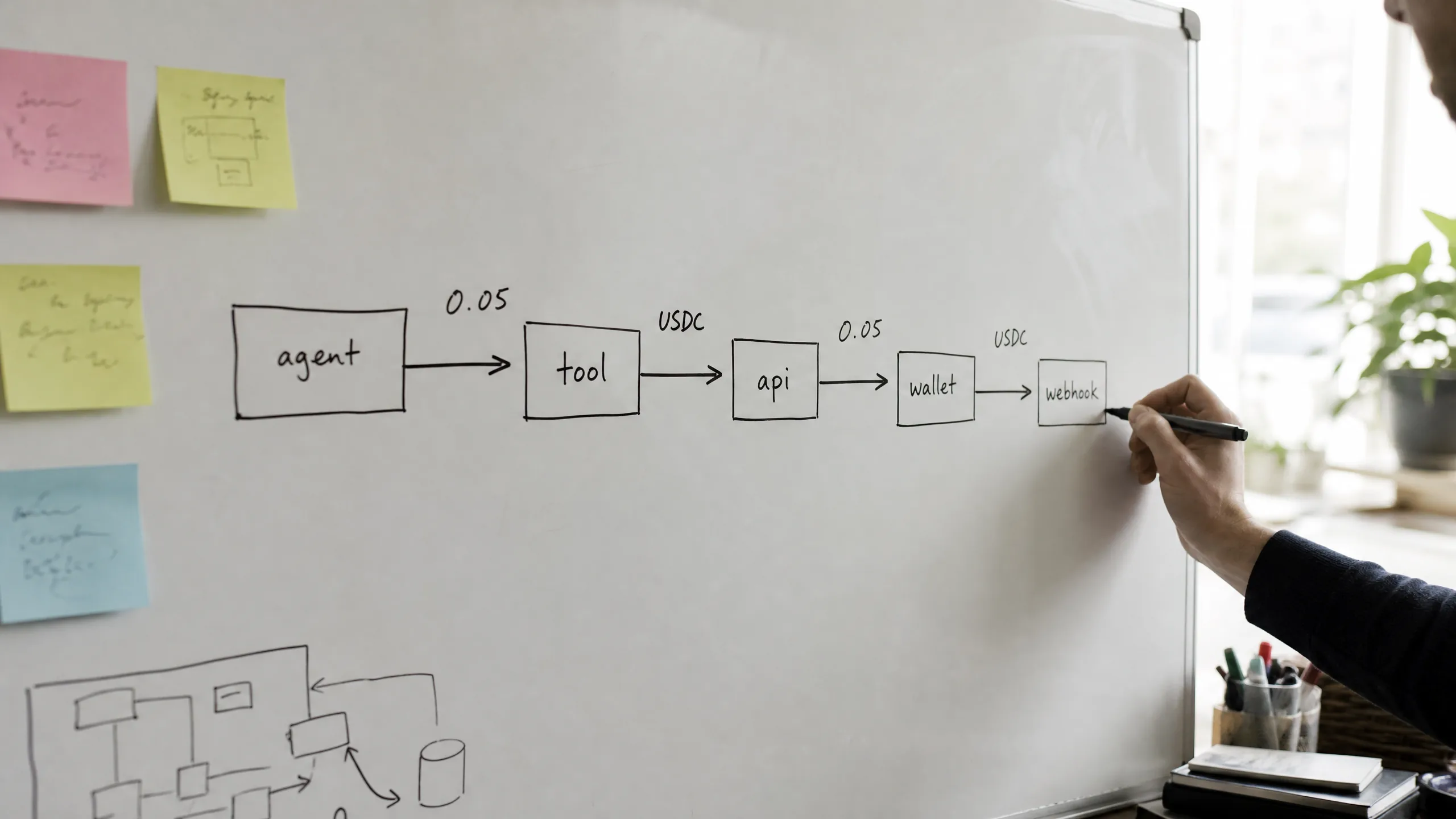
PSD2 Strong Customer Authentication, 3-D Secure step-ups, and issuer fraud heuristics all assume a human in the loop. The first time a Stripe-backed agent tries to buy ten things in a row from new merchants at 3 a.m., the issuer freezes the card. There is no clean API for “this charge is initiated by my AI on my behalf, here is the consent grant.” The card networks are working on it, but the spec is years away from production.
Crypto rails do not have that constraint. A wallet signature is the authorization. No SCA, no 3DS, no chargeback window an issuer can use to block an autonomous flow. For a deeper read on why this matters as a category, see the broader case for agent-spent crypto. This article is the hands-on counterpart: how you actually build it.
Architecture overview: AI agent to Aurpay REST API to wallet
The flow you are going to build looks like this:
┌──────────────────┐     tool call      ┌─────────────────────┐
│  Claude Sonnet   │ ─────────────────▶ │  search_products    │
│  4.6 (agent)     │                    │  (your product DB)  │
└──────────────────┘ ◀───────────────── └─────────────────────┘
        │              product list
        │ tool call
        ▼
┌──────────────────┐  POST pay-info     ┌─────────────────────┐
│  create_payment  │ ─────────────────▶ │  Aurpay REST API    │
│  _order tool     │ ◀───────────────── │  dashboard.aurpay   │
└──────────────────┘  pay_url +         └─────────────────────┘
        │             order_id                 │
        │ pay_url                              │ on-chain settle
        ▼                                      ▼
┌──────────────────┐                    ┌─────────────────────┐
│  Agent's wallet  │ ─── USDT ────────▶ │  Merchant wallet    │
│  (sub-wallet)    │     (ERC-20/TRC-20)│  (non-custodial)    │
└──────────────────┘                    └─────────────────────┘
        │                                      │
        │                                      │ signed callback
        │                                      ▼
        │                            ┌─────────────────────┐
        └────────── continue ◀────── │  /callbacks/aurpay  │
                                     │  status=succeed     │
                                     └─────────────────────┘
Three things to notice. First, the agent never holds keys directly; the wallet that signs the payment is a dedicated sub-wallet that you provision and fund. Second, Aurpay is the coordination layer (order + signed callback), not a custodian. Funds move from the agent’s wallet straight to the merchant’s wallet. Third, the agent only continues after the signed callback arrives. No optimistic state.
Setting up the environment with Claude Code
Install the Claude Code CLI and the Anthropic Python SDK. We will use httpx for outbound HTTP and fastapi later for the callback receiver.
curl -fsSL https://claude.ai/install.sh | sh
mkdir shopping-agent && cd shopping-agent
python -m venv .venv && source .venv/bin/activate
pip install anthropic httpx fastapi uvicorn pydantic python-dotenv
Create a .env in the project root. Keep the per-transaction and daily caps tight while you are debugging — they are the cheapest insurance against a runaway agent loop.
ANTHROPIC_API_KEY=sk-ant-...
AURPAY_API_KEY=...
AURPAY_API_BASE=https://dashboard.aurpay.net
AURPAY_CALLBACK_SECRET=...
AURPAY_CALLBACK_URL=https://your.public.host/callbacks/aurpay
AGENT_DAILY_CAP_USD=200
AGENT_PER_TX_CAP_USD=50
Step 1: get your Aurpay API credentials
Sign in at dashboard.aurpay.net and obtain an API key from the dashboard; the full request/response reference lives at aurpay.net/documentation. The key is sent in the API-Key request header. For production traffic Aurpay also publishes a signature-based authentication method (HMAC-SHA256 over {algorithm} | {date} | {request_info} | {body_md5}) that you should adopt once the integration is otherwise stable. Start with the API-Key header to keep the first iteration short.
Add a thin client so the rest of the tutorial does not repeat HTTP boilerplate:
# aurpay_client.py
import os, httpx
from typing import Any

class AurpayClient:
    def __init__(self) -> None:
        self.base = os.environ["AURPAY_API_BASE"].rstrip("/")
        self.key = os.environ["AURPAY_API_KEY"]
        self._http = httpx.Client(timeout=15.0)

    def _headers(self) -> dict[str, str]:
        return {
            "API-Key": self.key,
            "Content-Type": "application/json",
            "Accept": "application/json",
        }

    def post(self, path: str, payload: dict[str, Any]) -> dict[str, Any]:
        r = self._http.post(f"{self.base}{path}", json=payload, headers=self._headers())
        r.raise_for_status()
        return r.json()
Step 2: build the search/decision tool the agent uses
The agent needs at least one upstream tool that returns purchasable items. In production this is your catalog API or a scraping subsystem. For the tutorial we will mock it, because the interesting code is the payment side.
# tools/search.py
PRODUCTS = [
    {"sku": "copilot-seat", "name": "GitHub Copilot seat (annual)", "price_usd": 95.00},
    {"sku": "anthropic-credit-50", "name": "Anthropic API credit ($50)", "price_usd": 50.00},
    {"sku": "vercel-pro", "name": "Vercel Pro (monthly)", "price_usd": 20.00},
]

def search_products(query: str) -> list[dict]:
    q = query.lower()
    return [p for p in PRODUCTS if q in p["name"].lower() or q in p["sku"]]
The Anthropic tool schema for this looks like:
SEARCH_TOOL = {
    "name": "search_products",
    "description": "Search the product catalog. Returns matching SKUs with USD prices.",
    "input_schema": {
        "type": "object",
        "properties": {"query": {"type": "string"}},
        "required": ["query"],
    },
}
Step 3: wire up Aurpay order creation as an Anthropic tool
The payment tool is where Aurpay’s REST API actually shows up in the agent loop. The agent calls create_payment_order, the tool POSTs to Aurpay’s /api/order/pay-info endpoint, and the structured response (order id + hosted payment URL + receiving address) goes back into Claude’s context so it can decide what to do next.
# tools/payment.py
import os
from aurpay_client import AurpayClient

client = AurpayClient()
CALLBACK_URL = os.environ["AURPAY_CALLBACK_URL"]

# (chain, currency) pairs that match Aurpay's documented enums.
SUPPORTED_PAIRS = {
    ("ETH", "USDT-ERC20"),
    ("TRX", "USDT-TRC20"),
    ("ETH", "USDC-ERC20"),
    ("TRX", "USDC-TRC20"),
    ("ETH", "DAI-ERC20"),
    ("ETH", "ETH"),
    ("BTC", "BTC"),
    ("BNB", "BNB"),
}

def create_payment_order(
    chain: str,        # "ETH" | "TRX" | "BTC" | "BNB"
    currency: str,     # e.g. "USDT-TRC20", "USDC-ERC20", "BTC"
    vs_price: float,   # amount in fiat (e.g. USD)
    description: str,
    order_ref: str,
) -> dict:
    if (chain, currency) not in SUPPORTED_PAIRS:
        raise ValueError(f"unsupported chain/currency pair: {chain}/{currency}")
    payload = {
        "chain": chain,
        "currency": currency,
        "vs_currency": "USD",
        "vs_price": vs_price,
        "succeed_url": f"https://your.app/orders/{order_ref}/ok",
        "timeout_url":  f"https://your.app/orders/{order_ref}/timeout",
        "callback_url": f"{CALLBACK_URL}?order_ref={order_ref}",
        "timeout_callback": f"{CALLBACK_URL}?order_ref={order_ref}&result=timeout",
        "fixed_encrypt_price": True,
        "enable_post_callback": False,
    }
    return client.post("/api/order/pay-info", payload)
Keep Lightning separate from this function. Aurpay documents Lightning through /api/bln/order, not through the chain/currency pair list used by /api/order/pay-info. If your agent needs Lightning, expose a second tool with price, currency, succeed_url, timeout_url, callback_url, and timeout_callback fields.
A realistic response from /api/order/pay-info looks like:
{
  "code": 0,
  "message": "ok",
  "data": {
    "order_id": "ord_8f3c1a2b",
    "status": "pending",
    "amount": 50.00,
    "vs_currency": "USD",
    "vs_price": 50,
    "create_time": "2026-05-11T13:27:00Z",
    "address": "TYz...HnQ",
    "contract_addr": "TR7NHqjeKQxGTCi8q8ZY4pL8otSzgjLj6t",
    "pay_url": "https://dashboard.aurpay.net/#/cashier/choose?token=..."
  },
  "result": true
}
The Anthropic tool schema pins the chain and currency values Aurpay supports today. Keep this strict so the model cannot hallucinate a “USDT on Polygon” order that the API will reject:
PAYMENT_TOOL = {
    "name": "create_payment_order",
    "description": (
        "Create an Aurpay payment order for a purchase. Returns order_id and "
        "pay_url. Settlement is non-custodial, direct to the merchant."
    ),
    "input_schema": {
        "type": "object",
        "properties": {
            "chain":    {"type": "string", "enum": ["ETH", "TRX", "BTC", "BNB"]},
            "currency": {"type": "string", "enum": [
                "USDT-ERC20", "USDT-TRC20",
                "USDC-ERC20", "USDC-TRC20",
                "DAI-ERC20", "ETH", "BTC", "BNB"
            ]},
            "vs_price": {"type": "number", "minimum": 0.01},
            "description": {"type": "string"},
            "order_ref": {"type": "string"},
        },
        "required": ["chain", "currency", "vs_price",
                     "description", "order_ref"],
    },
}
Stitch it into the agent loop. This is the canonical Anthropic tool-use pattern, the same shape Claude Code uses internally:
# agent.py
import os, json
from anthropic import Anthropic
from tools.search import search_products
from tools.payment import create_payment_order
from tools.guards import check_spending_limit  # defined in Step 5
from schemas import SEARCH_TOOL, PAYMENT_TOOL

claude = Anthropic()

def dispatch(name: str, args: dict) -> dict:
    if name == "search_products":
        return {"results": search_products(**args)}
    if name == "create_payment_order":
        check_spending_limit(args["vs_price"])  # raises if blocked
        return create_payment_order(**args)
    raise ValueError(f"unknown tool: {name}")

def run(user_goal: str) -> str:
    msgs = [{"role": "user", "content": user_goal}]
    while True:
        resp = claude.messages.create(
            model="claude-sonnet-4-6",
            max_tokens=2048,
            tools=[SEARCH_TOOL, PAYMENT_TOOL],
            messages=msgs,
        )
        if resp.stop_reason != "tool_use":
            return "".join(b.text for b in resp.content if b.type == "text")
        msgs.append({"role": "assistant", "content": resp.content})
        tool_results = []
        for block in resp.content:
            if block.type != "tool_use":
                continue
            try:
                out = dispatch(block.name, block.input)
                tool_results.append({
                    "type": "tool_result",
                    "tool_use_id": block.id,
                    "content": json.dumps(out),
                })
            except Exception as e:
                tool_results.append({
                    "type": "tool_result",
                    "tool_use_id": block.id,
                    "is_error": True,
                    "content": str(e),
                })
        msgs.append({"role": "user", "content": tool_results})
Step 4: confirmation flow with the callback
Returning a pay_url from create_payment_order is not enough. The agent needs to know the order was actually paid before continuing. Aurpay calls back to your configured callback_url as soon as the on-chain settlement is confirmed. By default the callback is a GET request carrying the order details as query parameters; set enable_post_callback: true on the order if you prefer a POST body instead. Either way the callback is authenticated by three headers — Callback-Token, Date, and Signature — where Signature is the base64-encoded HMAC-SHA256 of {date} | {callback_url} using your dashboard-configured callback_secret.
A minimal FastAPI receiver:
# callback.py
import os, hmac, hashlib, base64
from fastapi import FastAPI, Request, HTTPException

app = FastAPI()
SECRET = os.environ["AURPAY_CALLBACK_SECRET"].encode()
EXPECTED_TOKEN = os.environ["AURPAY_CALLBACK_TOKEN"]
PAID: set[str] = set()  # swap for Redis / your DB in prod

def verify(token: str, date: str, sig_b64: str, full_url: str) -> bool:
    if not hmac.compare_digest(token, EXPECTED_TOKEN):
        return False
    expected = base64.b64encode(
        hmac.new(SECRET, f"{date} | {full_url}".encode(), hashlib.sha256).digest()
    ).decode()
    return hmac.compare_digest(expected, sig_b64)

@app.get("/callbacks/aurpay")
async def aurpay_callback(request: Request):
    full_url = str(request.url)  # include scheme, host, path, query string
    token = request.headers.get("Callback-Token", "")
    date  = request.headers.get("Date", "")
    sig   = request.headers.get("Signature", "")
    if not verify(token, date, sig, full_url):
        raise HTTPException(401, "bad signature")
    order_id = request.query_params.get("order_id")
    status   = request.query_params.get("status")  # "succeed" or "timeout"
    if order_id and status == "succeed":
        PAID.add(order_id)
    return {"received": True}
On the agent side, expose a wait_for_payment tool that polls the local PAID set. Keep polling cheap and bounded; never block the agent loop forever.
import time

def wait_for_payment(order_id: str, timeout_s: int = 900) -> dict:
    deadline = time.time() + timeout_s
    while time.time() < deadline:
        if order_id in PAID:
            return {"status": "succeed", "order_id": order_id}
        time.sleep(5)
    return {"status": "timeout", "order_id": order_id}
One operational note: signature verification is non-negotiable. Anybody can hit /callbacks/aurpay from the public internet. The HMAC check above is the bare minimum; in production also enforce idempotency by storing the order id and rejecting duplicate succeed notifications, and treat a missing callback as a hint to re-create or re-query the order via the API rather than waiting forever. The MCP server pattern for agent payments uses the same callback discipline if you prefer to expose this as a tool over MCP.
Step 5: safety patterns before raising the caps
The single most expensive bug in agent payments is the runaway loop. Claude Sonnet 4.6 will not, on its own, drain your wallet, but a poorly written prompt plus a flaky tool can produce surprising amounts of duplicate spend. Three guards you want in place before you raise the per-tx and daily caps from “afford to lose” to anything real.
Spending caps. Per-transaction max and rolling daily max. Enforce in code, never trust the model to enforce them.
# tools/guards.py
import os, time
from collections import deque

PER_TX = float(os.environ["AGENT_PER_TX_CAP_USD"])
DAILY  = float(os.environ["AGENT_DAILY_CAP_USD"])
_recent: deque[tuple[float, float]] = deque()  # (timestamp, usd)

def check_spending_limit(amount_usd: float) -> None:
    if amount_usd > PER_TX:
        raise ValueError(
            f"per-tx cap ${PER_TX} exceeded by ${amount_usd}; "
            "human approval required"
        )
    cutoff = time.time() - 86400
    while _recent and _recent[0][0] < cutoff:
        _recent.popleft()
    spent = sum(a for _, a in _recent)
    if spent + amount_usd > DAILY:
        raise ValueError(
            f"daily cap ${DAILY} would be exceeded "
            f"(${spent:.2f} spent, +${amount_usd:.2f} requested)"
        )
    _recent.append((time.time(), amount_usd))
Human approval gates. Anything above a threshold pauses the agent and pushes a Slack or email approval link. The agent only resumes after a human acknowledges. The dispatcher in agent.py calls check_spending_limit before create_payment_order; on raise, surface the exception back to the model so it can ask for help instead of retrying.
Dedicated sub-wallet. Never give the agent a key to your operational treasury. Provision a fresh non-custodial wallet, fund it with the daily cap plus a small buffer, and treat it as disposable. If the agent gets prompt-injected, the blast radius is the wallet balance, not your treasury. This is the same principle behind the non-custodial reasoning for agent wallets: keys and funds belong to the operator, not the platform.
Once those guards are wired in, the only thing that changes from a dry-run to live spend is the daily cap and the wallet balance you fund:
AGENT_DAILY_CAP_USD=2000   # raise gradually after a clean week
AGENT_PER_TX_CAP_USD=100
Real-world use cases
B2B procurement bot. “Buy 50 GitHub Copilot seats for the new hires under the engineering budget.” The agent looks up the SKU, checks the total against the daily cap, creates a USDC-ERC20 order against the vendor’s Aurpay-issued payment URL, signs from the procurement sub-wallet, waits for the callback, then writes the receipt to your finance system. Settlement is final on-chain in minutes, no card decline drama.
AI travel agent. “Book the cheapest flight to Singapore under $400, depart Friday.” The agent searches a partner travel API, picks a fare, creates a USDT-TRC20 order (cheap fees, fast finality), and pays. Card-rail equivalents trip 3DS step-ups roughly half the time when the issuing country and merchant country differ; the crypto path does not.
Developer-tool autopay. “Top up Anthropic API credit when balance < $10.” A scheduled agent run checks the dashboard via API, hits the spending guard at $50, creates an order, signs, and confirms. Combined with the x402 protocol view of agent payments for sub-cent micropayments, you cover both ends of the agent-spend spectrum: micro-API calls via x402, regular SaaS top-ups via Aurpay orders.
Limits and failure modes you must handle
- Chain congestion / gas spikes. ERC-20 fees can cross $20 in a busy hour. For sub-$50 purchases default to
USDT-TRC20; route to ERC-20 only above ~$200 where the fee impact is acceptable. If you add Lightning later, route it through Aurpay’s separate/api/bln/orderflow. - Callback delivery failures. Callbacks occasionally miss. Production receivers should persist the order id, dedupe duplicate
succeednotifications, and treat a long silence as a hint to re-pull or re-create the order rather than blocking the loop forever. - Idempotency on duplicate order creation. The agent loop can retry tool calls if the model decides the previous one failed. Use your internal
order_refas the idempotency key on your side, and dedupe before calling/api/order/pay-info. - Config drift between dry-run and live caps. A
.envset to a real daily cap on a developer laptop has caused real losses in the wider agent-tooling ecosystem. Gate the live API key behind a CI-only secret store and refuse to start ifAGENT_DAILY_CAP_USDis unset or higher than a documented ceiling. - Agent runaway costs. Beyond spending caps, set a hard tool-call ceiling per agent invocation (e.g. 30 tool calls). If the agent has not produced a final answer by then, stop and escalate. This is cheap insurance against pathological loops.
Ship it
Aurpay’s REST API is the path of least resistance for agent-driven crypto payments: /api/order/pay-info for direct order creation with explicit chain + currency, hosted-payment URL out of the box, signed callback in Callback-Token / Date / Signature headers, 0.8% per transaction, non-custodial settlement direct to the merchant wallet. Create an account and generate your API key at dashboard.aurpay.net; the full REST reference is at aurpay.net/documentation. If your use case is simpler, a one-off shareable payment link rather than a full agent loop, the Aurpay Payment Button drops in with no backend at all.

