
How Content Creators Sell Merch with Crypto Payments (Shopify + WooCommerce)
 Ricky
Ricky
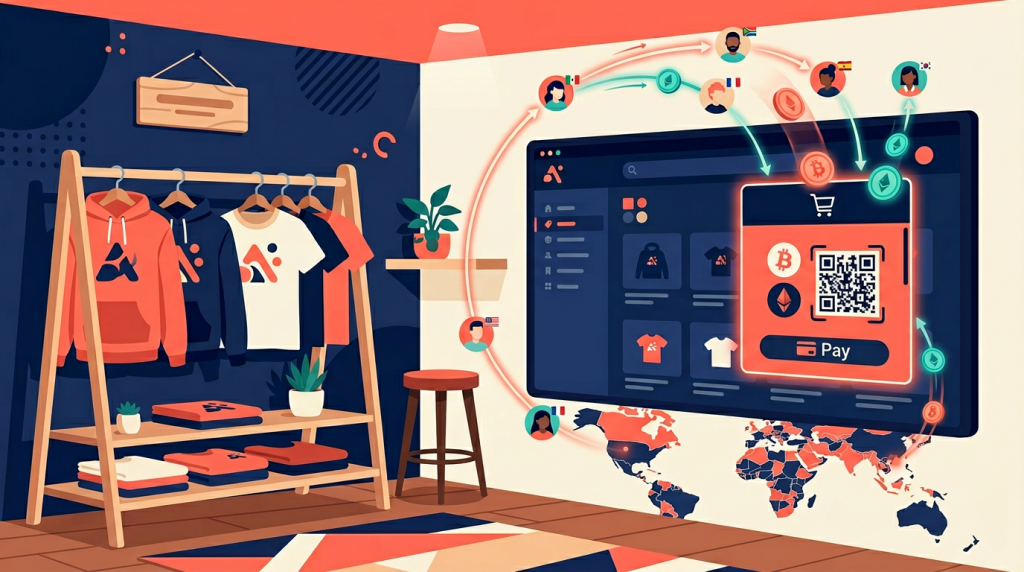
Content creators now earn more from merchandise than from ad revenue alone. A mid-tier YouTuber with 200,000 subscribers can generate $5,000 to $20,000 per month selling branded apparel, accessories, and collectibles. Yet most creators still rely on print-on-demand marketplaces like Spring (formerly Teespring) that take 30-50% of each sale and offer limited storefront customization. If you want to own your brand, maximize margins, and reach a global audience that increasingly prefers paying in crypto, running your own Shopify or WooCommerce store with a non-custodial payment gateway is the most practical path forward.
Why Creators Are Leaving Print-on-Demand Marketplaces
Spring, Printful, and Redbubble built the creator merch industry. They handle printing, fulfillment, and customer service so you can focus on content. The trade-off is steep. Spring’s base prices leave creators with margins of $3-$7 per t-shirt. Redbubble’s standard artist margin is just 20%. You also sacrifice brand control: your store lives on their domain, uses their templates, and follows their policies.
For creators building a personal brand, these constraints matter. Your merch store is an extension of your content. Fans expect a cohesive experience from the YouTube channel to the checkout page. Marketplace stores feel generic because they are. Every creator’s shop looks the same.
The shift to self-hosted stores is already underway. Shopify powers over 4.8 million online stores globally, and its creator-focused tools (Linkpop, Collabs) signal where the platform sees growth. WooCommerce, the open-source WordPress plugin, runs approximately 36% of all online stores and appeals to creators who want full control without monthly platform fees. Both options let you design a storefront that matches your brand, set your own margins, and choose which payment methods to accept.
The Case for Accepting Crypto on Your Merch Store
Adding cryptocurrency payments is not about chasing a trend. It solves three specific problems that creator merch stores face daily.
1. Global Fans, Local Payment Barriers
If you create English-language content, your audience spans dozens of countries. Fans in Southeast Asia, Latin America, and Africa often lack international credit cards or face currency conversion fees of 3-5%. Stablecoins like USDT and USDC operate on global blockchain networks with no geographic restrictions. A fan in the Philippines can pay the same way as a fan in Germany, with no bank approval required.
2. Web3 Community Alignment
Crypto and gaming communities overlap significantly with content consumption. Over 560 million people worldwide held cryptocurrency by the end of 2025, according to Chainalysis. If your content touches gaming, technology, finance, or digital culture, a meaningful share of your audience already holds crypto. Offering it as a payment option signals that you understand your community. It is a trust signal, not just a checkout feature.
3. Zero Chargebacks, Better Margins
Credit card chargebacks cost e-commerce merchants an estimated $117 billion in 2025. Merch stores are especially vulnerable because customers sometimes dispute charges after receiving items they consider lower quality than expected. Blockchain transactions are irreversible by design. Once confirmed on-chain, the payment is final. Combined with lower processing fees (0.8% with Aurpay versus 2.9% + $0.30 with Stripe), crypto payments directly improve your bottom line on every order.
Choosing Your Platform: Shopify vs. WooCommerce
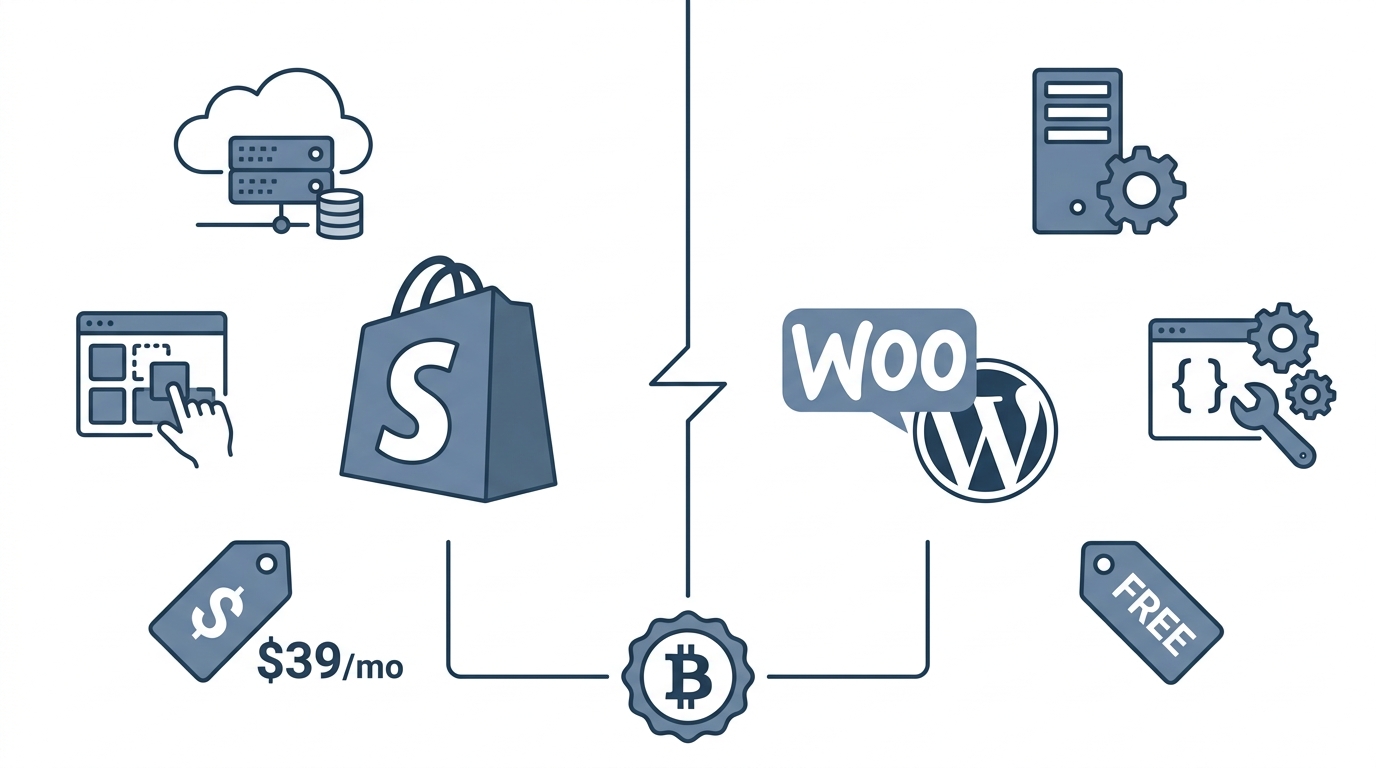
Both platforms work well for creator merch stores. Your choice depends on technical comfort and budget.
Shopify is the faster path. Plans start at $39/month and include hosting, SSL, and a drag-and-drop store builder. You can launch a professional merch store in an afternoon. The Shopify App Store offers thousands of apps for print-on-demand fulfillment (Printful, Gooten), email marketing, and analytics. For creators who want to focus on content rather than server management, Shopify is the standard recommendation.
WooCommerce is the flexible path. The plugin itself is free, though you need WordPress hosting ($10-$30/month) and potentially a premium theme ($50-$100 one-time). You own everything: the code, the data, the design. WooCommerce suits creators who already run a WordPress site for their blog or podcast, or who want granular control over every aspect of the store. Its open-source ecosystem means virtually any feature you need exists as a plugin.
For crypto payments specifically, both platforms integrate seamlessly with Aurpay’s Shopify app and Aurpay’s WooCommerce plugin. The setup process differs slightly, but the end result is the same: your fans can pay in USDT, USDC, DAI, BTC, ETH, BNB, MATIC, and other supported tokens across 10+ blockchain networks.
Setting Up Crypto Payments on Shopify with Aurpay
If you already have a Shopify store or are starting one, adding Aurpay takes about 15 minutes. Here is the step-by-step process.
Step 1: Install the Aurpay App
Go to the Shopify App Store and search for Aurpay, or navigate directly from the Aurpay website. Click “Add app” and authorize the connection to your Shopify store. No KYC documents are required. You will not need to submit ID, proof of address, or business registration.
Step 2: Connect Your Wallet
Aurpay is non-custodial, which means funds go directly to your own cryptocurrency wallet. In the Aurpay dashboard, enter your wallet addresses for each blockchain network you want to accept payments on. For example, add your ERC-20 address to receive USDT and USDC on Ethereum, your TRC-20 address for Tron-based USDT, and your BEP-20 address for Binance Smart Chain tokens. You can add as many or as few networks as you prefer.
Step 3: Configure Payment Settings
Select which cryptocurrencies to display at checkout. Most creator merch stores benefit from offering USDT and USDC (stablecoins pegged to USD, so no price volatility) alongside BTC and ETH (for fans who prefer holding and spending major cryptocurrencies). Set your preferred confirmation thresholds and order expiration times.
Step 4: Test a Transaction
Place a test order on your store using a small amount of crypto. Verify that the payment reaches your wallet, that order confirmation emails fire correctly, and that inventory updates as expected. Aurpay settles instantly upon blockchain confirmation, so you should see funds in your wallet within minutes depending on the network.
Step 5: Announce to Your Audience
Add a “We Accept Crypto” badge to your store and mention the new payment option in your content. Creators who actively promote crypto checkout see 8-15% of total orders shift to crypto within the first quarter, based on aggregated merchant data. A short mention in a YouTube video or a pinned tweet drives meaningful adoption.
For a deeper walkthrough on adding crypto to Shopify without relying on Coinbase Commerce, see our guide on accepting crypto on Shopify with better alternatives.
Setting Up Crypto Payments on WooCommerce with Aurpay
WooCommerce setup follows a similar flow with a few WordPress-specific steps.
Step 1: Install the Aurpay Plugin
In your WordPress admin, go to Plugins > Add New and search for “Aurpay.” Install and activate the plugin. Alternatively, download it from the Aurpay WooCommerce page and upload the ZIP file manually.
Step 2: Enter Your Wallet Addresses
Navigate to WooCommerce > Settings > Payments > Aurpay. Enter your wallet addresses for each supported network. As with Shopify, Aurpay never holds your funds. Every payment routes directly from the customer’s wallet to yours on the blockchain. This non-custodial architecture eliminates counterparty risk entirely.
Step 3: Select Accepted Currencies
Toggle on the cryptocurrencies you want to offer. WooCommerce stores with a tech-savvy audience often enable a broader selection, including MATIC on Polygon and BNB on BSC, because these networks offer sub-cent transaction fees that make small merch purchases practical. A $25 t-shirt paid in USDT on Tron costs the buyer roughly $0.50 in network fees, compared to $0 for credit cards but with the chargebacks and geographic restrictions that come with them.
Step 4: Customize the Checkout Experience
Aurpay’s WooCommerce plugin integrates with your existing checkout page. Customers select “Pay with Crypto” alongside your other payment methods. The plugin generates a unique payment address and QR code for each order. You can adjust the payment window duration and confirmation requirements in the plugin settings.
Step 5: Verify and Launch
Run a test transaction, confirm wallet receipt, and check that WooCommerce order statuses update correctly. Once verified, update your store’s footer, FAQ page, and social media to promote the new payment option.
Creator Scenarios: Who Benefits Most
Crypto merch payments work especially well for specific creator categories. Here are three scenarios where the ROI is clearest.
Gaming Creators and Esports Streamers
Gaming audiences have the highest crypto awareness of any content vertical. A 2025 survey by Newzoo found that 38% of gamers aged 18-34 had purchased cryptocurrency at least once. Gaming merch (hoodies, mousepads, limited-edition prints) often sells to an international audience. A Twitch streamer with viewers across 20+ countries can eliminate payment friction for fans who lack international credit cards by accepting USDT on Tron or BSC, where transaction fees stay below $1.
Musicians and Independent Artists
Musicians already understand the value of direct-to-fan sales. Platforms like Bandcamp proved that fans will pay more when they know the money goes directly to the artist. Crypto payments extend this principle. A musician selling vinyl, posters, and limited merch through their WooCommerce store can accept BTC and ETH from fans who view their purchase as both commerce and community support. The 0.8% Aurpay fee versus Bandcamp’s 15% revenue share makes self-hosted merch significantly more profitable.
Podcasters and Newsletter Writers
Podcasters and Substack writers cultivate highly engaged, niche audiences. A finance podcast with 50,000 listeners may have a listener base where 20-30% hold crypto. Selling branded merchandise (mugs, notebooks, apparel) through a Shopify store with crypto checkout converts that engagement into revenue. Stablecoins are especially relevant here because listeners in emerging markets can pay without dealing with cross-border card fees. For more on how creators are diversifying revenue beyond traditional ads, explore our overview of crypto monetization strategies for YouTubers, Twitch streamers, and podcasters.
Pricing and Fee Comparison
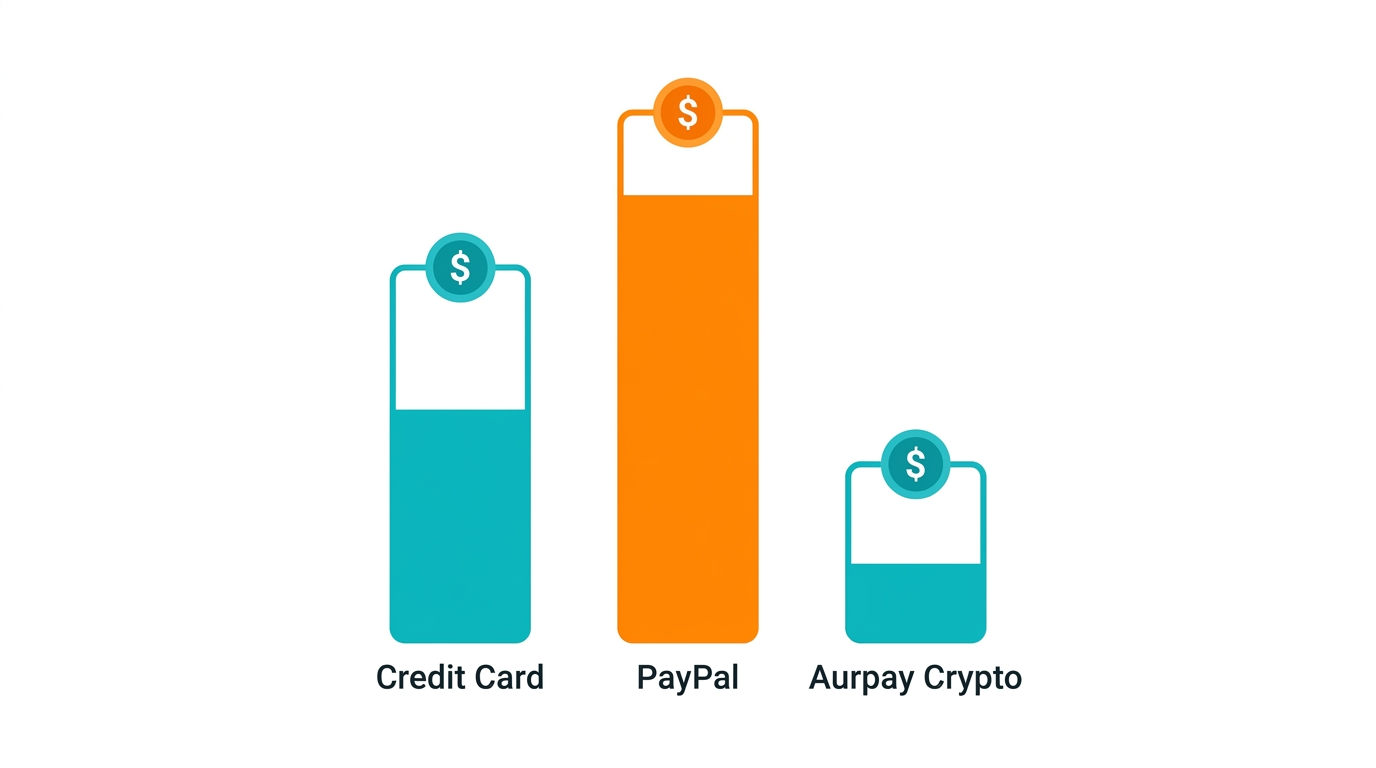
Understanding the full cost stack helps you project actual margins on merch sales.
| Payment Method | Processing Fee | Chargeback Risk | Global Reach |
|---|---|---|---|
| Credit Card (Stripe/PayPal) | 2.9% + $0.30 | Yes | Limited by card issuer country |
| PayPal | 3.49% + $0.49 | Yes (buyer protection disputes) | 200+ countries, but not universal |
| Aurpay (Crypto) | 0.8% | No (blockchain finality) | Anyone with a crypto wallet |
On a $35 merch item, Stripe charges $1.32 in fees. PayPal takes $1.71. Aurpay charges $0.28. Over 1,000 orders, the difference is $1,040 to $1,430 in savings. For a creator running lean margins on printed merchandise, that is meaningful revenue retained.
Managing Crypto Revenue as a Creator
Receiving crypto is straightforward. Managing it requires a basic plan.
Stablecoin strategy: If you want to avoid crypto price volatility, configure your store to accept primarily USDT and USDC. These tokens maintain a 1:1 peg to the US dollar. Your revenue stays denominated in dollars without needing automatic conversion. When you need fiat, transfer your stablecoins to an exchange like Coinbase or Kraken and sell at your convenience.
Multi-wallet setup: Use separate wallet addresses for merch revenue versus personal holdings. This simplifies accounting and tax reporting. Most hardware wallets (Ledger, Trezor) support multiple accounts for this purpose.
Tax considerations: Crypto payments are taxable income in most jurisdictions, valued at the fair market value at the time of receipt. Stablecoins simplify this because 1 USDT received equals $1 of revenue. Keep records of each transaction, which Aurpay’s dashboard provides automatically.
Combining Merch with Digital Products
Many creators sell both physical merchandise and digital products (courses, templates, sample packs, exclusive content). A single Shopify or WooCommerce store can handle both product types with crypto checkout enabled across the board. Digital products have zero fulfillment cost, so the 0.8% Aurpay fee represents your total transaction cost. For a detailed guide on selling digital downloads with crypto, read our article on selling online courses and digital downloads as a creator.
Start Selling Merch with Crypto Today
The creator merch market continues to grow as audiences become more willing to support creators directly. Adding crypto payments to your Shopify or WooCommerce store expands your addressable market to every crypto holder on the planet, eliminates chargeback risk, and cuts your payment processing costs by more than 70% compared to traditional card processors.
Aurpay makes this practical. No KYC paperwork. No custodial risk. No middleman holding your funds. Every payment settles directly to your wallet at 0.8% per transaction across 10+ blockchain networks. Whether you are a gaming streamer selling hoodies to fans in 30 countries or a podcaster offering branded mugs to your most loyal listeners, crypto checkout turns your merch store into a global, direct-to-fan operation.
Start accepting crypto with Aurpay for Shopify or Aurpay for WooCommerce — no KYC, no middleman, funds go straight to your wallet.

