
Accept Crypto for Online Courses & Digital Downloads (Creator Edition)
 Aurpaytech
The global e-learning market surpassed $185 billion in 2024 and continues to accelerate. If you sell online courses, ebooks, design templates, or code snippets, you already know the upside of digital goods: zero inventory, near-infinite margins, and a global buyer pool. What you may not know is that your payment processor is quietly eating into those margins—and blocking sales you never see. Accepting cryptocurrency, particularly stablecoins like USDT and USDC, removes the middlemen that throttle digital creators and lets you keep more of every sale.
Why Traditional Payment Processors Punish Digital Creators
PayPal, Stripe, and platform-native processors treat digital goods as high-risk. The reason is straightforward: digital products are delivered instantly, cannot be “returned” in the physical sense, and carry chargeback rates roughly two to three times higher than physical goods. Industry data puts digital-goods chargeback rates between 1.5% and 3%, compared with 0.5–1% for tangible merchandise.
That elevated risk profile triggers several consequences for you as a creator. Processors may hold funds for 14–30 days during “review periods.” They freeze accounts with little notice when dispute ratios spike. And they layer on additional fees—Stripe charges 2.9% + $0.30 per transaction in the US, while international cards push that above 4%. For a $29 Notion template or a $149 video course, those percentages translate into real money lost on every sale.
Regional payment blocks compound the problem. Creators in Southeast Asia, Latin America, and parts of Africa routinely discover that PayPal cannot receive funds in their country, or that Stripe simply does not operate there. Your audience is global, but your payment rails are not.
Platform Fees Are a Second Tax on Creator Revenue
Beyond processor fees, most creators also pay a platform tax. Gumroad takes 10% of every sale. Teachable’s free plan charges 10% plus processing fees. Podia starts at $39/month before you sell a single unit. Payhip takes 5% on its free tier. These percentages stack on top of credit-card processing, meaning a $50 course sale on Gumroad nets you roughly $41 after Gumroad’s 10% cut and Stripe’s ~3%.
For creators selling high volumes of low-price digital assets—photography presets at $9, Figma UI kits at $15, audio loops at $5—the per-transaction fixed fee ($0.30) becomes especially punitive. On a $5 sale, Stripe’s fixed fee alone represents 6% of revenue before the percentage-based fee even applies.
The alternative is self-hosting. A WooCommerce store on your own domain gives you full control over pricing, branding, and customer data—without a platform skimming 5–10% off the top. Pair it with a crypto payment gateway, and you sidestep processor fees almost entirely.
How Stablecoins Fix Digital-Goods Payments
Stablecoins like USDT and USDC are pegged 1:1 to the US dollar, so you receive predictable value without the volatility that makes accepting BTC or ETH nerve-wracking for everyday commerce. More importantly, stablecoin payments are final. Once a transaction confirms on-chain, there is no chargeback window, no dispute process, and no funds held in escrow by a third party.
For digital creators specifically, this solves the core vulnerability. A buyer cannot download your 200-page ebook and then file a chargeback claiming the product was “not as described.” The payment is irreversible by design. That single property eliminates the category of fraud that makes processors treat digital goods as high-risk in the first place. If you only need to take payments or tips on a page you already run, a crypto payment button embeds without a full checkout integration.
Stablecoin transactions also settle globally without currency conversion. A student in Lagos pays the same USDC amount as a student in Berlin, and the funds arrive in your wallet within seconds to minutes depending on the chain. No FX markup, no cross-border surcharge, no 3–5 business day clearing window.
Fee Comparison: Traditional vs. Crypto for a $49 Online Course
Consider a concrete example. You sell a self-paced video course for $49:
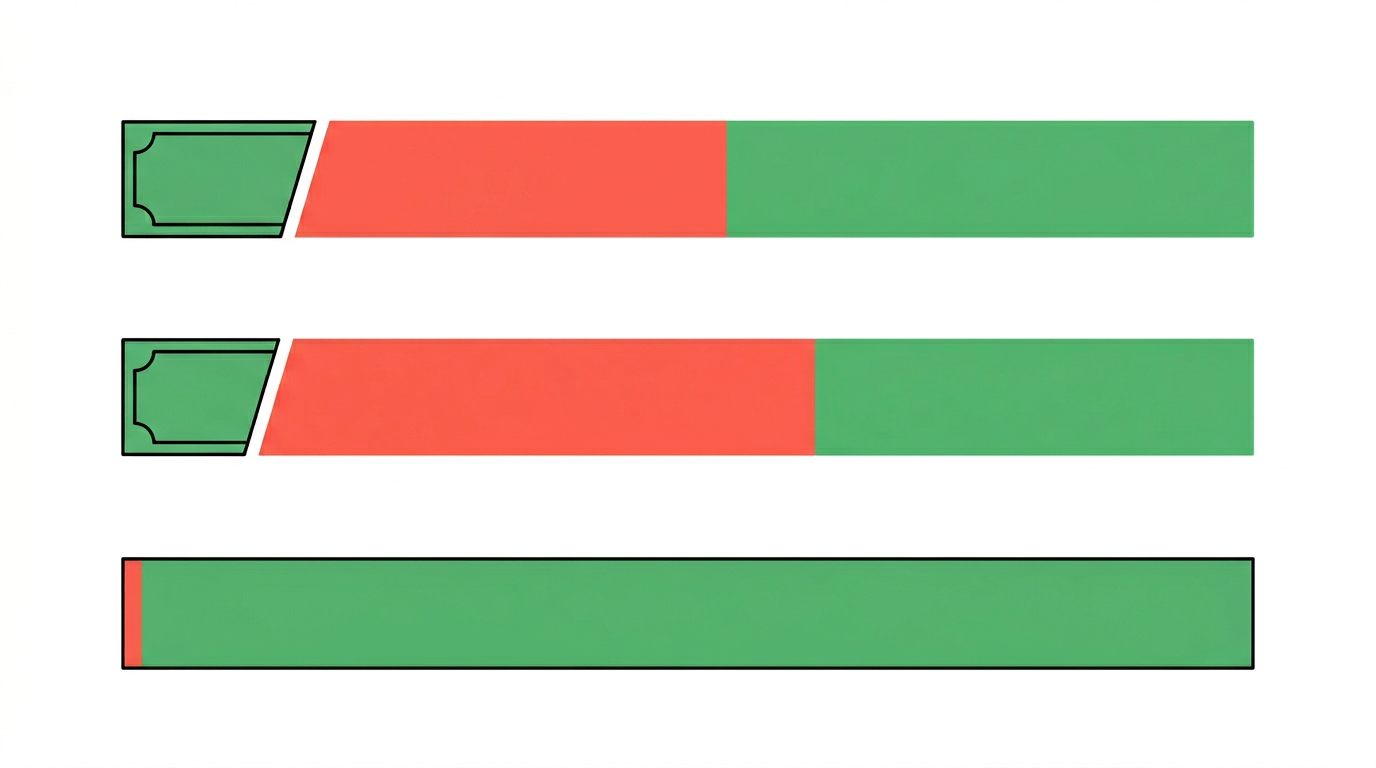
- Gumroad + Stripe: Gumroad takes $4.90 (10%), Stripe takes ~$1.72 (2.9% + $0.30). You receive $42.38. Effective fee: 13.5%.
- Teachable (free plan) + Stripe: Teachable takes $4.90 (10%), Stripe takes ~$1.72. You receive $42.38. Same result.
- WooCommerce + Aurpay (USDC): Aurpay takes $0.39 (0.8%). No platform fee. You receive $48.61. Effective fee: 0.8%.
The difference is $6.23 per sale. At 100 sales per month, that is $623 you keep instead of handing to intermediaries. At 500 sales, the annual savings exceed $37,000.
What You Can Sell With Crypto Payments

The beauty of a self-hosted WooCommerce store with crypto checkout is that it handles any downloadable or access-gated product. Here is a non-exhaustive list of digital goods that creators are already selling with stablecoin payments:
- Online courses and workshops: Pre-recorded video series, cohort-based programs, live workshop replays
- Ebooks and guides: PDF manuals, research reports, how-to handbooks
- Design templates: Figma UI kits, Canva templates, Photoshop actions, Illustrator assets
- Code and development resources: WordPress themes, React component libraries, API boilerplate code, browser extensions
- Music and audio: Sample packs, sound effects, podcast intros, royalty-free tracks
- Photography presets: Lightroom presets, LUT packs for video editors, stock photo bundles
- Notion and productivity templates: Dashboards, project trackers, habit journals, CRM systems
If you already sell physical merchandise alongside digital products, you can run both through the same store. Our guide to selling creator merch with crypto covers the physical-goods workflow in detail.
Replace Gumroad With WooCommerce + Aurpay: Step by Step
Migrating from a hosted platform to a self-hosted WooCommerce store takes an afternoon, not a week. Here is the workflow.
Step 1: Set Up WooCommerce
Install WordPress on your hosting provider (SiteGround, Cloudways, and Hetzner all offer one-click WordPress installs). Activate the free WooCommerce plugin from the WordPress plugin directory. WooCommerce handles product listings, checkout, order management, and download delivery out of the box. The WooCommerce equivalent is covered in which plugins settle non-custodially.
Step 2: Install the Aurpay WooCommerce Plugin
Navigate to Plugins > Add New in your WordPress dashboard and search for “Aurpay.” Install and activate the Aurpay Crypto Payment Gateway for WooCommerce. The plugin connects your store to a non-custodial payment flow—meaning customer payments go directly to your own wallet address. Aurpay never holds your funds. The background is covered in How to Choose a Crypto Payment Gateway.
Step 3: Configure Your Wallet
In WooCommerce > Settings > Payments > Aurpay, paste your wallet addresses for the chains you want to accept. Aurpay supports BTC, Bitcoin Lightning, ETH, USDT and USDC on ERC-20/TRC-20, DAI on ERC-20, and BNB. Choose the stablecoins and chains that match your audience. For most creators, USDT or USDC on TRC-20 offers a practical combination of low network fees and fast confirmation. Accept Crypto Payments on PrestaShop expands on this point.
Step 4: Create Your Digital Products
In WooCommerce, create a new product and select “Virtual” and “Downloadable.” Upload your course files, ebook PDFs, template ZIPs, or any other deliverable. Set your price in USD—Aurpay automatically converts to the equivalent crypto amount at checkout. Buyers see a clear price, pay in their preferred token, and receive download access as soon as the transaction confirms on-chain.
Step 5: Test and Launch
Place a test order using a small stablecoin amount to verify the full flow: product page, checkout, on-chain payment, and automatic download delivery. Once confirmed, you are live. The entire setup takes less than two hours, including product migration.
If you are migrating from Gumroad or Teachable, export your existing product descriptions and customer email list first. WooCommerce lets you import products via CSV, and most email marketing plugins (Mailchimp, ConvertKit) integrate natively. Your existing audience follows you—not the platform.
For Shopify Creators: An Alternative Path
If you prefer Shopify’s ecosystem for selling digital products (using apps like Digital Downloads or Sky Pilot), you can add crypto checkout through the Aurpay Shopify Custom App integration. The app integrates directly into Shopify’s checkout flow, so buyers see crypto as a payment option alongside credit cards. This works well for creators who already have a Shopify storefront for physical goods and want to add digital products without migrating platforms. If Shopify is your platform, start with the crypto gateways that work with Shopify.
The same core benefits apply: 0.8% transaction fee, non-custodial settlement to your wallet, zero chargeback risk, and global reach without regional payment blocks. Shopify also handles sales tax calculation and provides built-in analytics, which can simplify operations if you sell across multiple jurisdictions.
Pricing Strategy for Crypto-Paying Customers
Accepting crypto does not mean you need to overhaul your pricing. Here are three strategies that work well for digital creators:
Dual Pricing With a Crypto Discount
Offer a 5–10% discount for crypto payments. Since you save 12–13% on fees compared to Gumroad + Stripe, you can pass part of that saving to the buyer while still netting more per sale. A $49 course at a 10% crypto discount costs the buyer $44.10 and nets you $43.75 after Aurpay’s 0.8% fee—still more than the $42.38 you would receive through Gumroad at full price.
Bundle Pricing for Stablecoin Payments
Create exclusive bundles available only to crypto buyers. A “Creator Toolkit” that combines your Notion templates, ebook, and mini-course at a bundled price gives stablecoin holders a reason to choose your store over competitors who only accept fiat. Bundles also increase average order value, which dilutes the already-low 0.8% fee even further.
Subscription and Access Passes
For ongoing content (weekly templates, monthly audio packs, quarterly course updates), sell annual access passes priced in USD and paid in stablecoins. A single $199 annual payment at 0.8% costs you $1.59 in fees, compared to twelve monthly $19.99 Gumroad transactions costing $31.14 in combined platform and processing fees over the same period.
Adding Supplementary Revenue Streams
Once your crypto checkout is live, you can layer additional creator monetization channels onto the same infrastructure. A crypto tip jar on your website lets fans support your work outside of product purchases—useful if you publish free tutorials or open-source resources alongside paid content.
You can also accept crypto for a broader range of digital products beyond courses and templates. The same WooCommerce + Aurpay setup handles software licenses, membership access, API keys, and any other digitally delivered product.
SEO and Discoverability: Own Your Traffic
One underrated advantage of self-hosting on WooCommerce is search engine ownership. On Gumroad or Teachable, your product pages live on their domain. Any SEO equity those pages accumulate benefits the platform, not you. With a WooCommerce store on your own domain, every blog post, product page, and landing page builds your site’s authority. Pair your course pages with long-form content marketing (tutorials, case studies, comparison articles) and you create a compounding traffic asset that no platform can take away.
WordPress also gives you full control over structured data, meta tags, and URL structure—all critical for ranking in search results. Platforms like Gumroad offer minimal SEO customization, which limits your visibility for high-intent search queries like “buy Figma UI kit” or “best Lightroom presets for portraits.”
Addressing Common Creator Concerns
“My Audience Doesn’t Use Crypto”
You do not need to replace credit-card checkout. Add crypto as an additional payment method. WooCommerce supports multiple gateways simultaneously. Even if only 5–10% of your buyers pay with stablecoins, those transactions arrive with zero chargeback risk and lower fees. Over time, as stablecoin adoption grows—monthly stablecoin transfer volume exceeded $1.5 trillion in early 2026—the share of crypto-paying customers will increase.
“I Don’t Want to Deal With Crypto Volatility”
Stablecoins solve this. USDT and USDC maintain a 1:1 peg with the US dollar. When a customer pays 49 USDC for your course, you receive 49 USDC (minus the 0.8% fee). There is no price fluctuation between the moment of sale and the moment funds arrive in your wallet. If you prefer to hold value in fiat, you can convert stablecoins to USD on any major exchange at your own pace.
“Is It Complicated to Set Up?”
The WooCommerce + Aurpay stack requires no coding and no bank-account settlement setup. You install a plugin, paste your wallet address, and activate the gateway. Aurpay handles the checkout UI, real-time price conversion, on-chain payment verification, and order status updates automatically. Settlement is instant—funds arrive in your wallet as soon as the blockchain confirms the transaction.
Start Keeping More of What You Earn
The economics are clear. Platform fees and processor charges consume 10–15% of every digital-goods sale through traditional channels. A self-hosted WooCommerce store with Aurpay’s crypto payment gateway reduces that to 0.8%, with zero chargebacks, wallet-based onboarding friction, and instant global settlement. Your courses, templates, ebooks, and creative assets deserve a payment infrastructure that works as efficiently as your content does.
Start accepting crypto with Aurpay—no intermediary account, no middleman, funds go straight to your wallet. Install the WooCommerce plugin or the Shopify integration today, and put the full value of your work back where it belongs: in your pocket.