
Freelancer’s Guide to Getting Paid in Crypto: Stablecoins, Invoicing & Tax (2026)
 Ricky
Ricky

If you freelance across borders, you already know the pain: a client in Berlin pays $3,000 for a brand redesign, but by the time PayPal takes its cut and converts EUR to USD, you receive $2,820. Wire transfers are worse — $25-50 in bank fees, a 1-3% FX spread, and three to five business days before the money lands. In 2026, stablecoins offer a direct alternative. A USDT or USDC transfer settles in minutes, costs under $1 on most chains, and arrives in your wallet pegged 1:1 to the US dollar. This guide walks you through every step: choosing the right stablecoin, communicating crypto terms to clients, generating invoices, handling taxes, and setting up a payment gateway on your own website.
Why Traditional Freelancer Payments Are Still Broken
Cross-border freelancing has exploded since 2020, yet the payment rails remain stuck in the pre-internet era. PayPal charges a 2.5% currency conversion fee on top of its standard 2.99% + $0.49 transaction fee. That means a $5,000 invoice from an overseas client costs you roughly $275 before you even see a bank statement. Wise (formerly TransferWire) improved things with mid-market rates, but still charges 0.4-1.5% depending on the corridor and has deposit limits in several countries.
Traditional bank wires carry flat fees of $25-50 per transaction on the sending side, plus an intermediary bank fee if the payment routes through SWIFT. Settlement takes two to five business days — longer if a weekend or public holiday falls in between. For freelancers billing monthly retainers under $2,000, the fee-to-payment ratio becomes punishing.
There is also the issue of access. Freelancers in Southeast Asia, Latin America, and parts of Africa report PayPal holds, account restrictions, and withdrawal limits that can freeze working capital for weeks. These are not edge cases — they are structural limitations of platforms built around legacy banking infrastructure.
Stablecoins: The Practical Alternative
Stablecoins solve the core problem by removing intermediaries and currency conversion from the equation. USDT (Tether) and USDC (Circle) are both pegged to the US dollar and backed by reserves of cash, T-bills, and short-term instruments. When a client sends you 3,000 USDC, you receive 3,000 USDC — no FX markup, no processing fee beyond a small on-chain gas cost.
On the Tron network (TRC-20), a USDT transfer costs approximately $0.50-1.00 and confirms in under a minute. On Polygon or Arbitrum, USDC transfers cost a few cents. Compare that to the $150+ you might lose on a $5,000 PayPal transaction, and the math speaks for itself. For a deeper comparison of stablecoin versus credit card economics, see our fee breakdown for merchants.
Volatility — the usual objection to crypto payments — does not apply here. USDT and USDC have maintained their dollar peg through multiple market cycles, including the 2022 bear market and the 2025 rate-cut rally. You hold dollars, not speculative assets. If you prefer to receive a portion in BTC or ETH for long-term savings, you can always convert after settlement.
Which Stablecoin Should You Use?
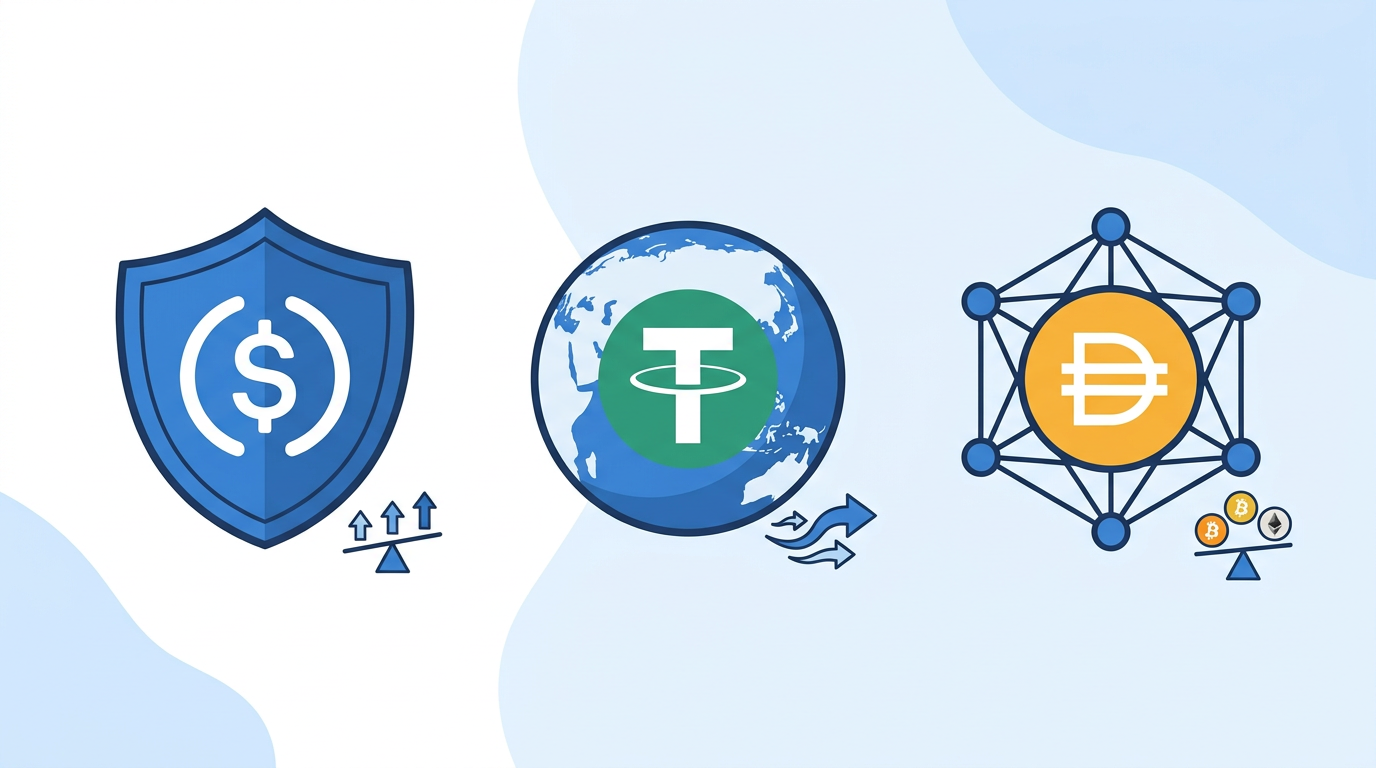
For most freelancers, USDC is the safer regulatory choice. Circle is a US-regulated company, publishes monthly reserve attestations, and USDC is the stablecoin referenced in the GENIUS Act stablecoin framework passed by the US Senate in 2025. USDT has deeper liquidity and wider adoption on Asian exchanges, making it the practical choice if your clients or off-ramps are in Asia-Pacific markets.
DAI, a decentralized stablecoin governed by MakerDAO, is a third option for clients who prefer a non-corporate issuer. All three are widely supported by payment gateways and exchanges in 2026.
How to Communicate Crypto Payment Terms to Clients
The biggest barrier to getting paid in crypto is not technology — it is communication. Most clients are willing to pay in stablecoins once they understand the process is simpler than a wire transfer. Here is a framework that works.
Step 1: Frame It as a Cost Saving
Lead with the client’s benefit: “If you pay via USDC instead of wire transfer, you skip the $30-50 bank fee and the payment settles in minutes instead of days.” Corporate clients with finance teams respond well to concrete numbers. Freelancers who position crypto as a mutual cost reduction — not a personal preference — report higher acceptance rates.
Step 2: Provide Clear Instructions
Include your wallet address, the network (e.g., “USDC on Polygon” or “USDT on Tron TRC-20”), and the exact amount in USD terms. Specify the chain explicitly — sending USDC on Ethereum when you expect Polygon means the funds land in the same wallet address but on a different network, which can cause confusion. A one-paragraph “How to Pay” section in your invoice eliminates 90% of client questions.
Step 3: Offer It as an Option, Not a Requirement
Keep traditional payment methods available. Your invoice should list “Bank Wire,” “PayPal,” and “Stablecoin (USDC/USDT)” as parallel options. Clients who are comfortable with crypto will self-select. Over time, as they see faster settlement and lower fees, more will switch voluntarily.
Invoicing for Crypto Payments
A professional invoice for crypto payments should include every field a traditional invoice contains — your business name, client details, line items, total, payment terms — plus three crypto-specific additions: the wallet address, the network/chain, and a note that the amount is denominated in USD and payable in the equivalent stablecoin value at the time of transfer.
Several invoicing tools support crypto natively in 2026. Request Network generates on-chain invoices that track payment status automatically. Gilded integrates with accounting software like QuickBooks and Xero, converting crypto line items into fiat-denominated records for bookkeeping. If you use a simpler setup, even a standard PDF invoice with your wallet details works — the key is clarity.
If you run your own website on WooCommerce — whether to sell services, digital products, or retainer packages — you can automate the entire flow. The Aurpay WooCommerce plugin turns your checkout page into a crypto payment endpoint. Clients select a stablecoin, scan a QR code or copy the wallet address, and the plugin confirms the on-chain transaction automatically. No manual verification, no back-and-forth over email. Freelancers selling online courses or digital downloads use the same setup to accept payments 24/7 without touching an invoice.
Tax Implications You Cannot Ignore
Accepting crypto does not exempt you from tax obligations. In most jurisdictions, receiving stablecoins as payment for services is a taxable event — the fair market value of the tokens at the time of receipt counts as ordinary income, just like a bank deposit.
United States: IRS Reporting
The IRS treats cryptocurrency received as payment for services as gross income, reported on Schedule C (self-employment) or Schedule 1 depending on your filing status. If you receive $600 or more in crypto from a single client, that client may be required to issue a 1099-NEC, though enforcement of crypto-specific 1099 reporting remains inconsistent in 2026. You are responsible for tracking the USD-equivalent value at the time of each receipt.
If you hold the stablecoins and later convert them to fiat or another crypto asset, any gain or loss from that conversion is a separate capital gains event. For USDT and USDC, the gain is typically negligible since the price stays near $1.00, but you still need records.
European Union: DAC8 Directive
The EU’s DAC8 directive, effective January 2026, requires crypto service providers to report user transactions to tax authorities across member states. As a freelancer, this means exchanges and on-ramps you use will share your transaction data with your national tax office. The practical implication: maintain your own records and reconcile them quarterly rather than waiting for a year-end scramble.
Record-Keeping Best Practices
For every crypto payment received, record the date, the token and amount, the USD-equivalent value, the transaction hash (TXID), and the client name. A simple spreadsheet works. If your volume grows, tools like Koinly or CoinTracker can import wallet transactions and generate tax reports compatible with TurboTax, H&R Block, and most EU filing systems.
Consult a tax professional familiar with digital assets in your jurisdiction. Crypto tax law is still evolving, and the cost of a one-hour consultation is far less than an audit penalty.
Setting Up Your Freelancer Website to Accept Crypto
If you sell services through your own website — and as a freelancer building a personal brand, you should — accepting crypto directly on your site removes the need for third-party invoice platforms entirely.
Aurpay’s WooCommerce plugin is designed for exactly this use case. Install the plugin, connect your wallet address, and your checkout page supports USDT, USDC, DAI, BTC, ETH, BNB, MATIC, and more across 10+ chains including Ethereum, Tron, BSC, Polygon, and Arbitrum. Because Aurpay is non-custodial, payments go directly to your wallet — there is no intermediary holding your funds, no withdrawal delays, and no account freezes.
The fee structure is straightforward: 0.8% per transaction with instant on-chain settlement. Compare that to PayPal’s 2.99% + $0.49 or Stripe’s 2.9% + $0.30, and the savings compound quickly on a $3,000-5,000 monthly billing volume. There is no KYC process to complete, so you can start accepting payments within minutes of installing the plugin.
For freelancers who also maintain a Shopify storefront — selling templates, design assets, or productized services — Aurpay offers a native Shopify app with the same non-custodial model. The setup mirrors WooCommerce: connect your wallet, enable your preferred tokens, and the checkout handles the rest.
Security Considerations for Freelancers
When you accept crypto payments, you are your own bank. That comes with responsibility. Use a hardware wallet (Ledger or Trezor) for storing received payments, and keep your seed phrase offline in a secure location — never in a cloud document or email draft.
For day-to-day operations, a hot wallet like MetaMask or Trust Wallet works for receiving payments, but transfer larger balances to cold storage regularly. Enable two-factor authentication on every exchange account you use for off-ramping to fiat.
When sharing wallet addresses with clients, double-check the address and network before sending. A single wrong character means lost funds with no recourse. QR codes reduce this risk significantly, which is another advantage of using a payment gateway that generates them automatically.
Real-World Payment Flow: Start to Finish
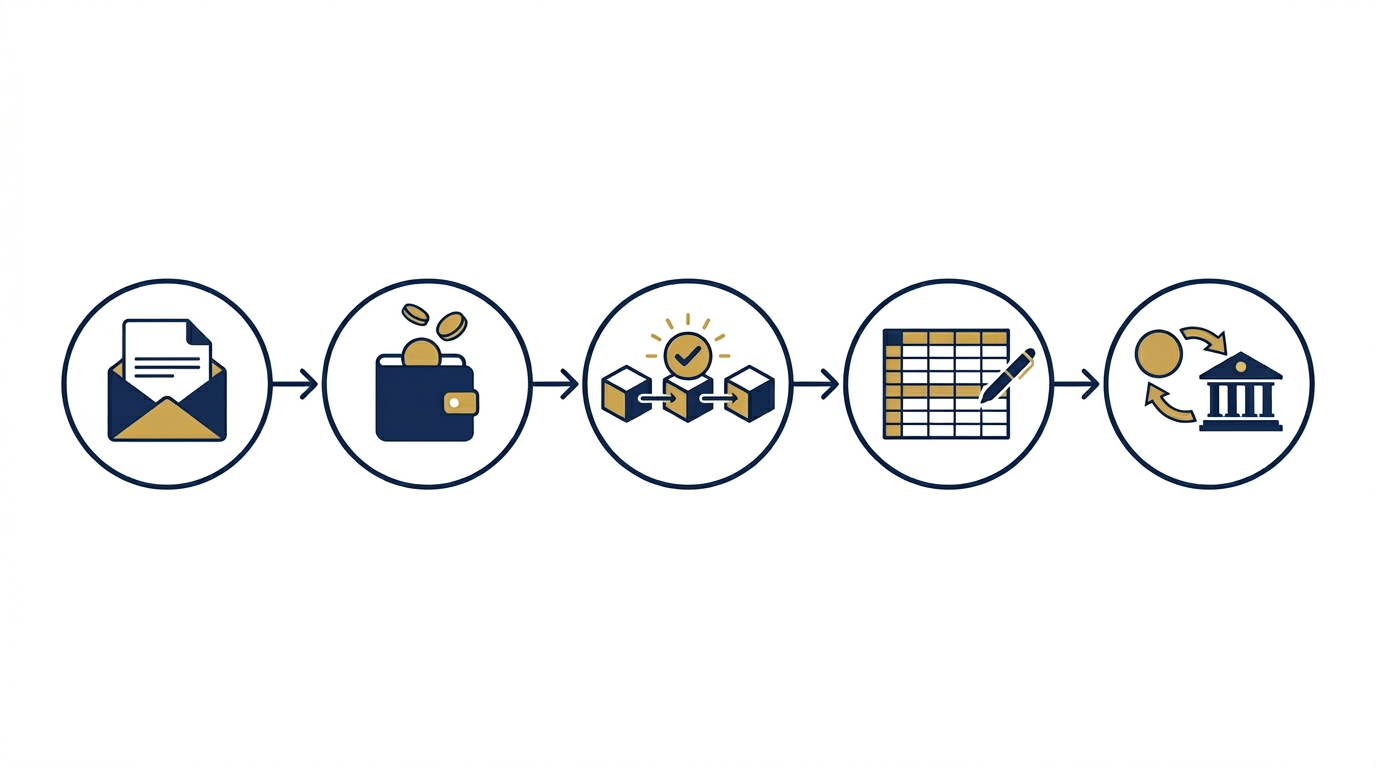
Here is what a typical crypto payment looks like for a freelance designer billing a client $4,000 for a website project:
- Invoice sent: You email a standard invoice listing “USDC on Polygon” as a payment option alongside bank wire and PayPal. Your WooCommerce site link is included for clients who prefer a self-service checkout.
- Client pays: The client sends 4,000 USDC from their exchange account or wallet to your address. On Polygon, this costs them under $0.05 in gas fees and confirms in about two minutes.
- You receive funds: 4,000 USDC lands in your wallet. If you used Aurpay’s WooCommerce plugin, the order status updates automatically and both you and the client receive confirmation.
- Record the transaction: Log the date, amount, TXID, and USD value in your tax spreadsheet or crypto tax tool.
- Off-ramp (optional): If you need fiat, transfer USDC to an exchange like Coinbase or Kraken, sell for USD, and withdraw to your bank. Total cost: roughly 0.1-0.5% depending on the exchange.
Total fees paid in this scenario: Aurpay’s 0.8% ($32) plus minimal gas. That is $32 versus the $160+ you would lose on PayPal for the same $4,000. Over a year of monthly billing, the difference covers a new laptop.
Joining the Broader Creator Economy on Crypto
Freelancers are part of a larger shift. Open-source developers are receiving sponsorships and bounties in crypto. Course creators are selling educational content with stablecoin checkouts. The infrastructure is maturing fast — what felt experimental in 2023 is production-ready in 2026.
The freelancers who adopt stablecoin payments now gain a structural cost advantage, faster cash flow, and access to a global client base without banking restrictions. The learning curve is a one-time investment; the savings recur on every invoice.
Start accepting crypto with Aurpay — no KYC, no middleman, funds go straight to your wallet. Install the WooCommerce plugin or the Shopify app and receive your first stablecoin payment today.

