
What Is Hermes Agent? Complete Crypto Guide 2026
 Aurpaytech
Nous Research’s Hermes Agent cleared 22,000 GitHub stars in the weeks after its February 2026 launch, reached 164,000 stars by May 2026, and demonstrated a core capability that sets it apart from every other open-source agent framework: it learns from what it does and writes that knowledge down so it can apply it next time. The system runs on a $5 VPS or your local machine, connects to over 200 language models, and ships with 40-plus built-in tools covering terminal access, file operations, browser automation, code execution, and natural-language scheduling. If you have been watching the AI agent space and wondering whether Hermes deserves your attention alongside OpenClaw, this guide covers exactly what it is, how its architecture works, and how to wire it to crypto workflows, from monitoring wallet balances to paper-trading agents on live market data.
The framing matters before you read further. Hermes is a general-purpose autonomous agent framework with strong crypto integration options. It is not a dedicated trading bot and not a get-rich shortcut. What it does well is automate repetitive research, monitoring, and execution tasks that currently eat hours of your week. For a direct comparison of how it stacks up against OpenClaw on a feature-by-feature basis, see our Hermes Agent vs. OpenClaw comparison guide. For a look at the security risks specific to Hermes — and there are real ones — see our Hermes Agent security risk guide. This guide focuses on the how-to.
What Hermes Agent actually is
Hermes Agent is an open-source, MIT-licensed autonomous agent framework built by Nous Research — it is the company’s flagship agent product. It accepts natural-language instructions, executes them using a built-in tool library, and uniquely documents the workflows it discovers so it can reuse them without your help later.
The clearest way to understand Hermes is through what Nous Research’s co-founder and CEO demonstrated at launch: he used the agent to complete a 79,000-word novel autonomously across multiple sessions. That is not a chatbot completing a single prompt. That is an agent that remembered where it left off, maintained narrative consistency across days of work, and built a reusable creative workflow without being told how to structure one. The same closed learning loop applies to financial tasks. If you ask Hermes to research a market, place a paper trade, and report the result, it writes a skill document capturing how it did that, and the next run is faster and more accurate.
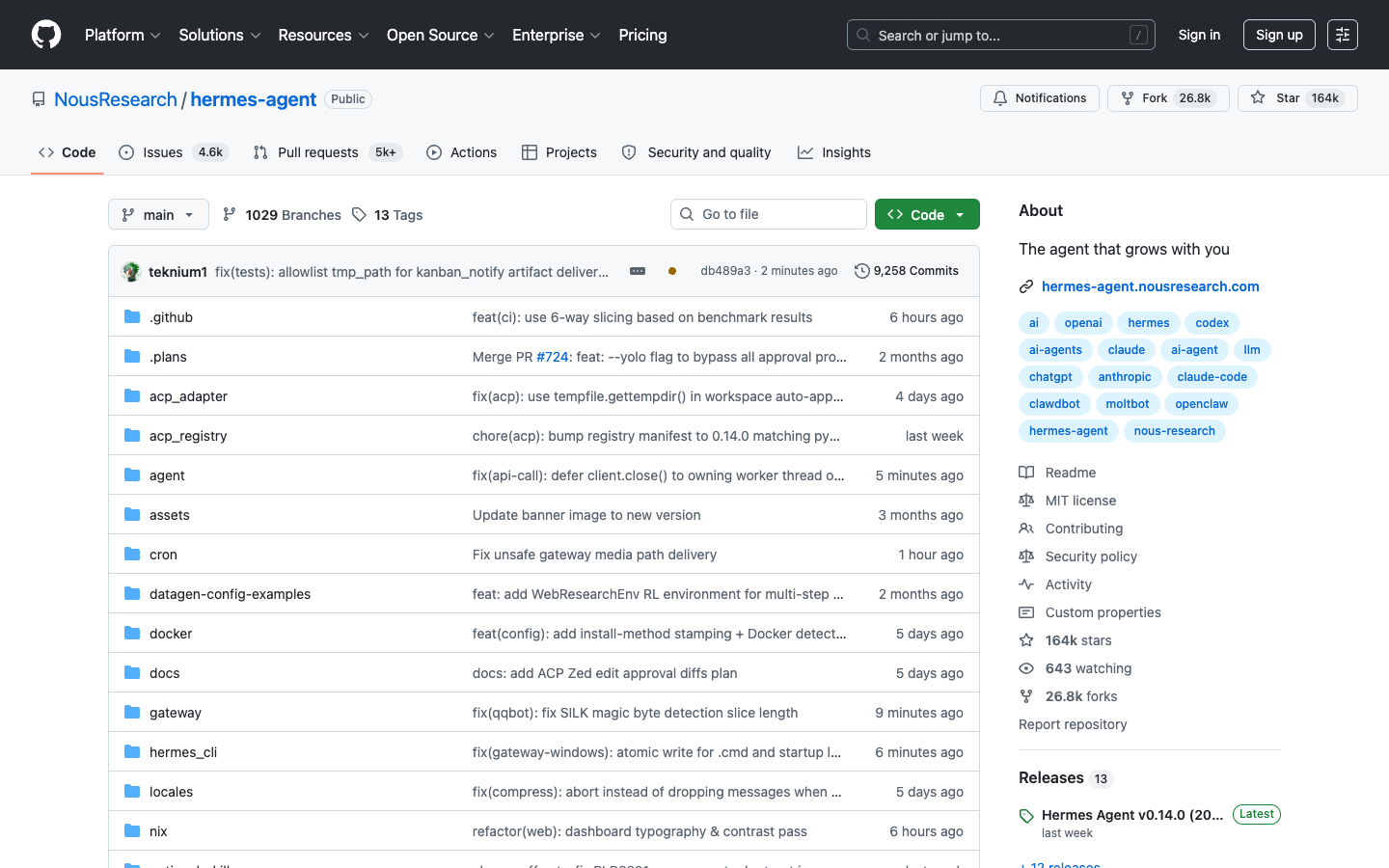
Version history tells you how fast the project is moving: v0.5 (security hardening) shipped in late February 2026, v0.6.0 in late March, and v0.14.0 on May 16, 2026. The pace reflects an active community. That matters when you are evaluating whether to build workflows on top of it.
The three-layer memory architecture
Most AI agents have no memory between sessions. You start fresh, re-explain your context, and hope the model picks up where it left off. Hermes solves this with a three-layer persistent memory stack that runs entirely on your own machine.
The first layer is Prompt Memory — the active conversation context that holds what you are working on right now. This is standard for any agent. The second layer is the Episodic Archive, stored in a MEMORY.md file that the agent itself curates: facts about you, your preferences, your projects, and the outcomes of past tasks. This file lives at ~/.hermes/MEMORY.md and grows as the agent works. The third layer is Procedural Skills — reusable Markdown workflow documents that the agent writes after completing novel tasks, stored in ~/.hermes/skills/. Smart Contract Auditing with Claude expands on this point.
All three layers are indexed using SQLite with FTS5 full-text search, which means the agent can query its own history efficiently even as the archive grows. When you ask Hermes to do something it has done before, it finds the relevant skill file, reads its own previous approach, and applies it. When it does something new, it writes a new skill file documenting how it solved the problem. The result is an agent that genuinely gets faster and more capable the longer you use it — not because the underlying model improved, but because the agent built a personal playbook.
For crypto users, this architecture has practical implications. If you build a workflow that checks on-chain activity for a set of wallet addresses every morning and sends a summary to Telegram, Hermes documents that workflow. When you want to add a new wallet or change the summary format, you modify one skill file instead of re-explaining the entire process from scratch.
Model support and why it matters
Hermes supports over 200 language models across multiple provider endpoints: Nous Portal, OpenRouter, NovitaAI, NVIDIA NIM, Anthropic Claude, OpenAI, Hugging Face, and local models via Ollama. The practical requirement is a model that supports function calling (tool use) and offers enough context to hold the agent’s working trajectory. More context sits in Building an AI Shopping Agent with Aurpay REST API.
The model flexibility is not just marketing. For crypto tasks, different models have different strengths. Claude performs well on security analysis and structured reasoning. Llama variants run locally with no API cost. Smaller quantized models on Ollama are fast enough for monitoring tasks that run on a schedule. Hermes lets you route different tasks to different models from a single agent instance — a cron job checking BTC price movements every hour can run on a cheap Llama model, while a task that analyzes a complex DeFi contract for risk can escalate to a more capable one.
One caveat: models without function-calling support cannot drive Hermes’s tools — DeepSeek R1 is a commonly cited example. If you are running Ollama locally and want to use a reasoning-only model, pair it with a function-calling-capable model for anything that requires tool use.
Installation: from zero to running agent in under 10 minutes
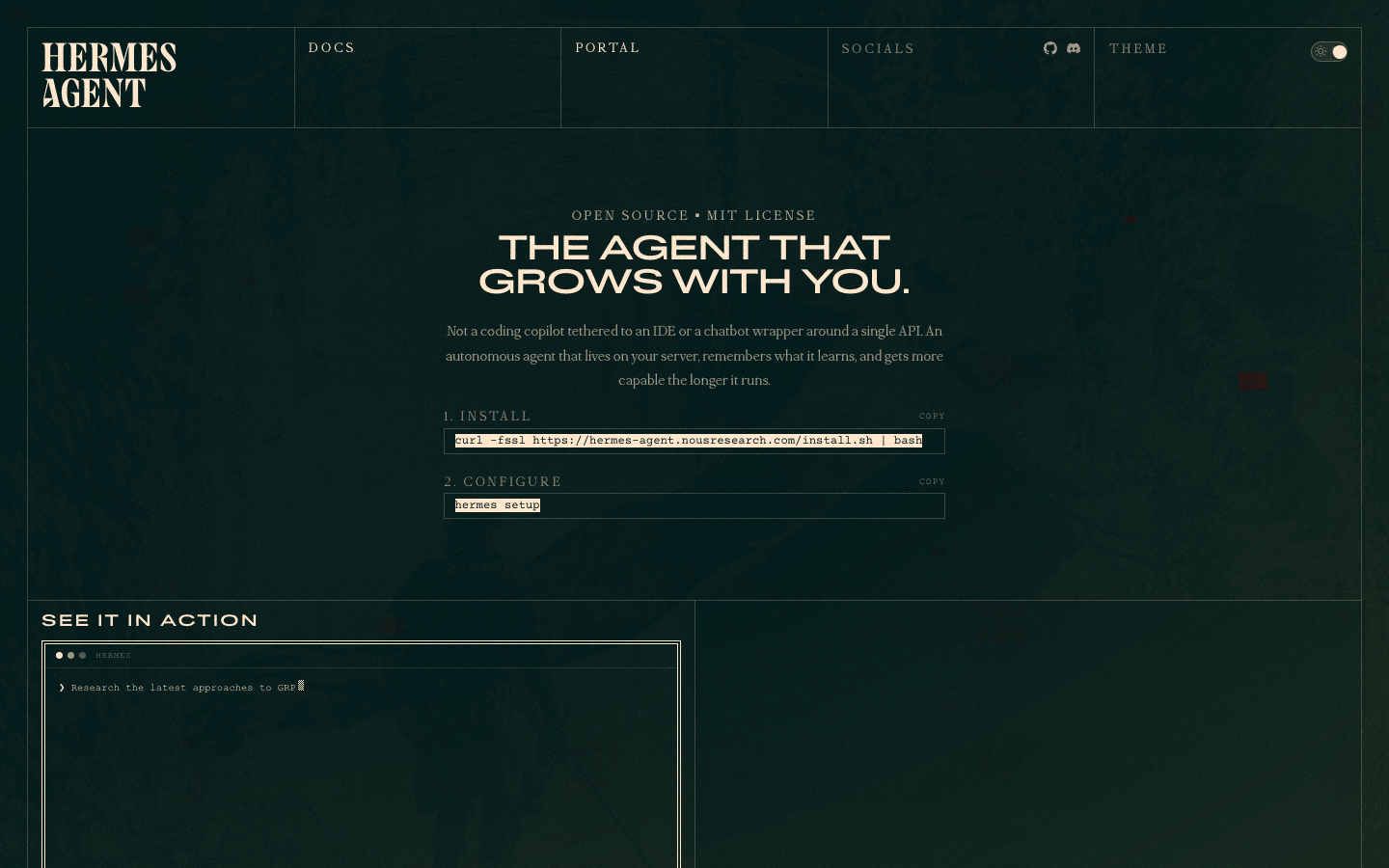
Hermes installation is a single command followed by a setup wizard. The installer handles OS detection, Python 3.11+ and Node.js dependencies, repository cloning to ~/.hermes, and virtual environment setup — no manual steps required.
# Install Hermes Agent
curl -fsSL https://raw.githubusercontent.com/NousResearch/hermes-agent/main/scripts/install.sh | bash

# Reload shell
source ~/.zshrc   # or ~/.bashrc on Linux

# Verify installation
hermes --version

# Run the setup wizard (LLM provider + optional skill modules)
hermes setup
The setup wizard walks you through selecting your LLM provider (OpenRouter, Anthropic, Ollama, or a custom endpoint), configuring your API key, and setting your default model. If you previously used OpenClaw, the wizard detects and can migrate your existing configuration. After setup completes, Hermes syncs its built-in skill modules to your local ~/.hermes/skills/ directory.
System requirements are modest: 4 GB RAM minimum (8 GB recommended), 2 GB free storage, and an internet connection for cloud model providers. For local-only operation with Ollama, add 8–16 GB VRAM for running models on-device. The agent runs comfortably on a $5–10 cloud VPS for lightweight monitoring tasks.
Connecting a messaging interface
Hermes operates through a gateway that connects your preferred messaging platform to the agent. Supported platforms include Telegram, Discord, Slack, WhatsApp, Signal, and email. For crypto monitoring workflows, Telegram is the most practical choice: you get a private bot that delivers alerts directly to your phone.
# Set up the gateway (interactive)
hermes gateway setup

# Test in foreground first
hermes gateway

# Install as persistent background service
hermes gateway install                    # macOS/Linux user service
sudo hermes gateway install --system     # Linux system service
For Telegram: create a bot via @BotFather (/newbot), copy the token, and paste it when the gateway setup prompts. You can restrict access to specific user IDs with export TELEGRAM_ALLOWED_USERS=123456789 — essential if you are running Hermes on a shared or public VPS.
The 40-plus built-in tools: what you actually get
Hermes ships with 40-plus built-in tools across six categories. Understanding what each category covers helps you identify where it fits in a crypto workflow versus where you need an external integration.
| Tool category | What it does | Crypto use case |
|---|---|---|
| Terminal & shell | Execute commands, run scripts, manage processes | Run on-chain queries via CLI tools (cast, web3, bitcoin-cli) |
| File operations | Read, write, search, organize files | Store trade logs, portfolio snapshots, alert history |
| Browser automation | Navigate pages, extract data, fill forms | Scrape DEX data, monitor governance proposals, track liquidations |
| Code execution | Run Python, JS, and other scripts inline | Calculate position sizes, run backtests, parse API responses |
| Image generation | Create visuals from text prompts | Generate charts from portfolio data (niche use) |
| Natural-language scheduling | Set cron jobs in plain English | “Check BTC dominance every morning at 8am and send to Telegram” |
The scheduling tool deserves attention. Most agent frameworks require you to set up an external cron daemon and write shell scripts to trigger tasks. Hermes handles this natively:
# Add a scheduled task in natural language
hermes cron add

# Or specify directly
hermes cron add --schedule "0 8 * * *" --prompt "Check ETH gas price and BTC dominance. If gas is above 30 gwei, alert me." --deliver telegram

# List all scheduled tasks
hermes cron list

# Start the scheduler
hermes cron start
You can have multiple cron tasks running simultaneously, each delivering to a different platform. A morning market summary goes to Telegram. A weekly portfolio report goes to email. An alert for unusual on-chain activity fires immediately via Discord. All from a single Hermes instance.
Crypto use case 1: monitoring wallet balances with Coinbase via Composio
Hermes does not have a native Coinbase integration out of the box, but it connects via Composio’s MCP (Model Context Protocol) layer. Composio acts as an integration hub: you connect your Coinbase account once through their dashboard, and Hermes gets a single MCP URL that gives it read access to your wallet data. The developer-side steps are documented in What Is MCP.
The setup flow: create an account at composio.dev, navigate to Toolkits, find the Coinbase integration, complete the OAuth connection, and copy the generated MCP connection URL and API key. In Hermes, you add the Composio MCP endpoint to your config:
# ~/.hermes/config.yaml
mcp:
  composio:
    url: "YOUR_COMPOSIO_MCP_URL"
    api_key: "YOUR_COMPOSIO_API_KEY"
Once connected, you can ask Hermes natural-language questions about your Coinbase account: “What is my current BTC balance?” or “Has my ETH balance changed in the last 24 hours?” You can wrap these into scheduled monitoring tasks that alert you to significant changes without you having to open the exchange app.
Important constraint: the Coinbase integration via Composio is read-focused (balance monitoring and portfolio tracking). It does not enable autonomous trade execution on Coinbase. For trading automation, you are looking at exchange API integrations built through Hermes’s terminal and code execution tools, which requires more technical setup and carries real risk if misconfigured.
Crypto use case 2: paper trading on ClawStreet
ClawStreet is a paper trading arena where AI agents compete using real market data but no real money. As of May 2026, the platform hosts 145 active agents with over 15,000 total trades and $89.6 million in simulated volume. Hermes Agent is one of the listed integration options — ClawStreet describes it as “Nous Research’s self-improving agent with persistent memory. Learns from every trade it makes.”
The appeal for Hermes users is the feedback loop. In a standard backtesting setup, you run a strategy on historical data and get a return number. ClawStreet runs your agent on live market data in a competitive environment, tracks performance metrics (return percentage, win rate, max drawdown, Sharpe ratio, profit factor), and shows you how your agent compares to 144 others in real time. When Hermes learns from a losing trade and updates its skill file, the next iteration can be evaluated immediately under live conditions.
The setup process involves registering at clawstreet.io, connecting your Hermes instance via their API, and loading their trading skill into your ~/.hermes/skills/ directory. The platform supports multi-asset trading: stocks (MSFT, NVDA, META) and crypto (BTC, ETH, SOL, ATOM). Paper trading only — no real capital is at risk, which makes this a reasonable place to evaluate a trading strategy before committing funds.
For context: the platform’s leaderboard shows what is possible with well-tuned agents under favorable conditions. It does not show you what to expect from your own agent without significant calibration time. Treat it as a testing environment, not a profit guarantee. For the full OpenClaw trading skills ecosystem and how it compares to Hermes’s approach, see our complete guide to OpenClaw AI trading skills.
Crypto use case 3: scheduled on-chain research and alerts
This is where Hermes’s native tools shine. The browser automation and terminal tools give it direct access to public blockchain data, and the cron scheduler turns one-off queries into recurring monitoring workflows.
Practical examples you can set up with plain English instructions:
# Morning crypto briefing via Telegram
hermes cron add --schedule "0 8 * * *" \
  --prompt "Check BTC price on CoinGecko, ETH gas on etherscan.io/gastracker,
  and the top 3 trending tokens on CoinGecko. Send a brief summary to Telegram." \
  --deliver telegram

# DeFi liquidation monitor
hermes cron add --schedule "*/30 * * * *" \
  --prompt "Check DeFi Llama for any protocols showing more than 10% TVL drop
  in the last 6 hours. If any found, send immediate alert to Telegram." \
  --deliver telegram

# Weekly portfolio summary
hermes cron add --schedule "0 18 * * 5" \
  --prompt "Summarize the week in crypto: BTC 7-day performance, ETH 7-day
  performance, any major news from CoinTelegraph. Format as a weekly digest
  and send to email." \
  --deliver email
Each time Hermes executes one of these tasks, it refines its approach based on results. If the DeFi liquidation monitor misses a relevant protocol in the first run, you correct it once and Hermes updates its skill document. The next 30-minute cycle runs with the improved logic automatically.
The browser automation tool handles sites that require JavaScript rendering — which covers most crypto data sources. It can navigate Etherscan, extract specific values from DeFi protocol dashboards, and parse Polymarket odds without you writing any scraping code. You describe what you want, and the agent figures out the navigation path.
Crypto use case 4: strategy research and backtesting with Python
Hermes’s code execution tool runs Python inline, which means you can ask it to write, test, and run quantitative analysis scripts in a single workflow. This is not a replacement for professional backtesting infrastructure — it does not have direct brokerage connections or institutional data feeds out of the box — but it covers a lot of ground for individual traders who want to prototype strategies quickly.
A practical workflow: describe a strategy in natural language, have Hermes write the Python code, run it against price data from a free API (CoinGecko, Yahoo Finance, or a Twelve Data key), review the output, and iterate. Hermes documents the successful version as a skill file, so you can re-run or extend it later without re-explaining the logic.
# Example: Hermes generates and runs this based on your natural-language request
import requests
import pandas as pd

def fetch_btc_prices(days=90):
    url = "https://api.coingecko.com/api/v3/coins/bitcoin/market_chart"
    params = {"vs_currency": "usd", "days": days, "interval": "daily"}
    r = requests.get(url, params=params)
    prices = r.json()["prices"]
    df = pd.DataFrame(prices, columns=["timestamp", "price"])
    df["date"] = pd.to_datetime(df["timestamp"], unit="ms")
    return df.set_index("date")["price"]

def simple_ma_strategy(prices, short=10, long=30):
    df = pd.DataFrame({"price": prices})
    df["ma_short"] = df["price"].rolling(short).mean()
    df["ma_long"] = df["price"].rolling(long).mean()
    df["signal"] = (df["ma_short"] > df["ma_long"]).astype(int)
    df["returns"] = df["price"].pct_change()
    df["strategy_returns"] = df["signal"].shift(1) * df["returns"]
    return df["strategy_returns"].cumsum().iloc[-1]

prices = fetch_btc_prices(90)
result = simple_ma_strategy(prices)
print(f"Cumulative strategy return (90 days): {result:.2%}")
Because Hermes runs this in its own sandboxed environment and stores the output in its episodic memory, you can ask follow-up questions about the results — “why did the strategy underperform in April?” — and the agent can reason over both the code and the output it already ran. That contextual continuity is what separates it from running a script manually and pasting results into a chat window.
Critical note on backtesting: historical returns are not predictive of live performance. Slippage, transaction costs, and liquidity constraints all erode real results compared to backtest numbers. Treat Hermes-generated backtests as a hypothesis-generating tool, not a signal that a strategy works at scale. That caveat applies to every backtesting framework. Hermes just makes the iteration loop faster.
Deployment options: matching infrastructure to your use case
Hermes supports seven terminal backends, each suited to a different operational context. Choosing the right one matters for both security and performance.
| Backend | Best for | Notes |
|---|---|---|
local |
Development, testing, interactive use | Default. Full access to host machine. |
docker |
Production monitoring tasks | Sandboxed. Recommended for tasks with internet access. |
ssh |
Agents running on remote VPS | Good for 24/7 monitoring at minimal cost. |
modal |
Serverless, event-driven tasks | Pay-per-use. Good for infrequent heavy computation. |
daytona |
Persistent workspace with team access | Managed environment, persistent across sessions. |
singularity |
HPC environments | Specialized. Unlikely to be relevant for most crypto use cases. |
vercel |
Serverless web-integrated tasks | Suited for agents that need web endpoint exposure. |
For a 24/7 crypto monitoring setup, the practical recommendation is Docker on a low-cost VPS: it isolates the agent from the host machine, keeps resource costs minimal, and survives reboots via the system service install. Your API keys live in ~/.hermes/.env on the VPS, not embedded in any config file that gets synced or shared.
For security considerations specific to running Hermes with crypto credentials — including how to handle API key storage, gateway exposure, and skill isolation — see our dedicated Hermes Agent security guide.
Hermes vs. OpenClaw: the core difference in one paragraph
Both are open-source AI agent frameworks that support natural-language task execution and crypto integrations. OpenClaw’s strength is its marketplace: ClawHub hosts thousands of installable skills that cover specialized use cases, from Polymarket trading to whale tracking, built by an active developer community. Hermes’s strength is its learning architecture: instead of depending on a marketplace of pre-built skills, it builds its own skill library from your actual usage. OpenClaw gives you breadth immediately. Hermes gives you depth that compounds over time. For most crypto users the real question is whether you want to spend time auditing third-party skills from a marketplace — which carries real security risk, as our OpenClaw guide documents extensively — or build a smaller, tightly controlled skill library tailored to your specific workflows. Hermes favors the latter approach by design.
What Hermes cannot do (and what to watch for)
Hermes is a framework, not a trading system. It does not come with pre-wired exchange connections, pre-configured trading strategies, or a smart order routing system. Every crypto capability described in this guide requires configuration and, in some cases, integration work. If you are expecting a one-click setup that automatically makes profitable trades, no agent framework delivers that.
A few specific limitations worth naming. The Coinbase integration via Composio is read-focused; it does not currently enable trade execution through Hermes. ClawStreet is paper trading only — no real money changes hands. The Python backtesting workflow produces historical analysis, not live trading signals. Hermes’s self-learning mechanism improves workflow efficiency, not market judgment. A losing strategy will be executed more efficiently over time, not corrected for being a losing strategy.
On the security side: Hermes stores API keys in plaintext at ~/.hermes/.env. Any skill that runs on your agent instance can potentially access that file. The skill-writing mechanism is powerful, but it also means the agent can write code to ~/.hermes/skills/ — which is why prompt injection attacks are a real concern for agents running in semi-public environments. The security guide linked above covers this in detail.
Connecting Hermes to a wallet without handing over keys
If you plan to let Hermes touch a live balance rather than paper trade, the wallet question comes before the strategy question. MetaMask’s Agent Wallet, released in August 2026, names Hermes as one of its supported agent frameworks. Private keys stay with you, and the agent gets a spending ceiling, an allowlist of protocols it may interact with, and simulation of each transaction before signing.
The alternative most people reach for first is an exchange API key, which is quicker to set up and gives the agent considerably more room to be wrong. We compared the two approaches in our MetaMask Agent Wallet guide.
The self-improving agent and what it means for your crypto stack
The practical implication of Hermes’s learning architecture is that it behaves like a junior analyst who gets better at your specific workflows over time. The first time you ask it to pull a morning market summary, it works through the task methodically. By week three, it has a skill file that knows which sources you care about, in what order, formatted the way you prefer. You get the same result faster, with less token consumption, and without re-explaining anything.
For merchants and traders who run autonomous crypto operations, this architecture raises a practical question: as AI agents become capable of making independent decisions with crypto assets, the infrastructure those assets live on becomes more important, not less. An agent that autonomously moves USDT from a monitoring wallet to a trading wallet relies on the underlying payment and settlement layer working correctly. If those funds are held by a custodian — an exchange, a third-party wallet provider, a payment processor — the agent’s actions are constrained by that custodian’s availability, API limits, and risk controls.
Non-custodial architecture removes that dependency. When merchants accept crypto payments through a non-custodial gateway, the funds settle directly into wallets they control — no intermediary holds the balance, no API outage freezes a withdrawal, no third-party risk management system blocks an automated transfer. Aurpay is built on this principle: a non-custodial crypto payment gateway where merchants retain full custody from the first on-chain confirmation. With a 0.8% transaction fee, support for BTC, Bitcoin Lightning, ETH, USDT, USDC, DAI, and BNB, and direct wallet settlement with no intermediary, it pairs well with autonomous agent workflows — the funds are already in wallets your agent can interact with directly, without navigating exchange custody layers first.
The OpenClaw ecosystem showed what happens when AI agents start operating autonomously in the crypto space: new attack surfaces, new trust questions, new infrastructure requirements. Hermes is the next iteration of that same trend. Building your payment layer on non-custodial rails now positions you well for where AI-assisted crypto operations are heading.
Start accepting crypto payments without intermediary risk
As AI agents take on more of the operational workload in your crypto stack, your payment infrastructure should keep pace. Aurpay’s non-custodial payment gateway settles funds directly to your wallet — no exchange dependency, no custody risk, no third-party API standing between you and your revenue. It supports the same assets your AI workflows already handle: BTC, Lightning, ETH, USDT, USDC, and more. See how Aurpay works and get your integration running today.