
How to Accept Crypto Donations on WordPress (2026 Guide)
 Ricky
Ricky
You can accept crypto donations on your WordPress site by setting up a WooCommerce donation product and connecting a non-custodial payment gateway like Aurpay. Donors send Bitcoin, Ethereum, USDT, USDC, or any supported cryptocurrency directly to your wallet — no platform fees, no payment processor holdbacks, and no mandatory donor identification.
Crypto donations have grown into a multi-billion dollar channel. The Giving Block reported over $2 billion in crypto charitable giving in 2024, with Bitcoin and Ethereum accounting for the majority. But crypto donations are not limited to large nonprofits with dedicated fintech teams. WordPress powers 43% of the web, and any site running WooCommerce can accept crypto donations with the same tools merchants use for e-commerce payments. Whether you run a nonprofit, an open-source project, a content creator platform, or a community organization, this guide walks you through setup, donor experience, and the practical considerations of receiving crypto contributions.
Who Benefits from Crypto Donations
Nonprofits and Charities
Traditional donation processors (PayPal Giving Fund, Stripe for nonprofits, GoFundMe Charity) charge 2.2% to 5% per donation plus fixed fees. For a nonprofit receiving $50,000 annually in online donations, that is $1,100 to $2,500 lost to processing fees — money that could go directly to the mission. A non-custodial crypto gateway charges 0.8% with no per-transaction fixed fee, saving $700 to $1,750 annually on the same volume.
Crypto donors also tend to give larger amounts. According to industry data, the average crypto donation is 3x to 5x larger than the average credit card donation. This is partly self-selection — crypto holders who donate tend to have higher disposable assets — and partly tax optimization, as donating appreciated crypto in many jurisdictions allows donors to avoid capital gains tax on the appreciation.
Open-Source Projects
Open-source developers have accepted crypto since Bitcoin’s early days. The community is natively comfortable with wallet-based transactions, and many contributors and users hold crypto as a primary form of digital value. For projects hosted on WordPress (documentation sites, project homepages, community portals), adding a crypto donation option aligns with the decentralized, permissionless ethos that many open-source communities value.
Unlike platforms like GitHub Sponsors or Open Collective that take a percentage or require account creation, a direct crypto donation through your WordPress site gives you full control. You receive funds immediately in your own wallet, with no platform intermediary and no payout delays.
Content Creators and Independent Media
Bloggers, podcasters, journalists, and independent media outlets increasingly accept crypto as an alternative to Patreon, Substack, or ad revenue. The appeal: no platform can deplatform your donation stream. A crypto donation button on your WordPress site works regardless of content policies, payment processor restrictions, or platform algorithm changes. Your relationship with your donors is direct and uncensorable.
Community Organizations and DAOs
Community organizations, mutual aid groups, and decentralized autonomous organizations (DAOs) often operate across borders with members who hold crypto. A WordPress-based donation page with multi-currency crypto support lets these organizations collect contributions without requiring members to navigate international wire transfers or deal with currency conversion.
Setting Up Crypto Donations on WordPress
The most reliable method uses WooCommerce with a crypto payment gateway. This approach leverages WordPress’s most mature e-commerce infrastructure and gives you order tracking, donation receipts, and payment management through a familiar admin interface.
Step 1: Install WooCommerce
If your WordPress site does not already have WooCommerce, install it from Plugins → Add New. WooCommerce is free and powers the donation product that your crypto gateway will process. You do not need a full e-commerce setup — WooCommerce will simply handle the donation transaction flow.
Step 2: Install the Aurpay Plugin
Install the Aurpay WooCommerce plugin from the WordPress plugin directory. Activate it and navigate to WooCommerce → Settings → Payments. Click Manage next to Aurpay to configure your wallet addresses and enable the cryptocurrencies you want to accept for donations.
Step 3: Configure Your Wallet
Enter your wallet address in the Aurpay settings. Because the gateway is non-custodial, every donation goes directly to your wallet — Aurpay never holds your funds. For maximum flexibility, enter both an EVM-compatible address (for Ethereum, Polygon, Arbitrum, BSC) and a Tron address (for TRC-20 USDT and USDC).
Use a dedicated wallet for donations rather than your personal wallet. This simplifies tracking, reporting, and tax documentation. A hardware wallet (Ledger, Trezor) adds security for organizations handling significant donation volume.
Step 4: Enable Supported Cryptocurrencies
Toggle on the currencies you want to accept. Recommended configuration for donations:
- Bitcoin (BTC): The most widely recognized cryptocurrency. Many donors specifically want to donate BTC for tax reasons (donating appreciated assets).
- Ethereum (ETH): Second-largest crypto community. Popular with DeFi and NFT holders who may have significant ETH balances.
- USDT and USDC: Stablecoins for donors who want to give a specific dollar amount without volatility concerns. Enable on TRC-20 and Polygon for lowest fees.
You can also enable BNB, MATIC, DAI, and other supported tokens. More options mean more donors can contribute using whatever crypto they already hold.
Step 5: Create a Donation Product
In WooCommerce, create a new product that serves as your donation. Go to Products → Add New and configure it as follows:
- Product name: “Donate” or “Support Our Work”
- Product type: Simple product (or Variable product if you want preset amounts)
- Price: Set a suggested amount, or use a plugin like “WooCommerce Name Your Price” to let donors enter any amount
- Virtual: Check the “Virtual” box (no shipping needed)
- Description: Explain what the donation supports and how funds will be used
For preset donation tiers ($10, $25, $50, $100), create a Variable product with each tier as a variation. For open-amount donations, install the “Name Your Price” plugin that lets donors enter a custom amount at checkout.
Step 6: Create a Donation Page
Create a dedicated WordPress page for donations. Use a clear headline (“Support Our Work” or “Donate with Crypto”), a brief description of your mission or project, and embed the donation product using a WooCommerce shortcode or block. Include information about which cryptocurrencies you accept and a note that donations go directly to your wallet with no intermediary.
Link to this page from your site’s header navigation, footer, and relevant content pages. Visibility drives donations — a donation page that requires three clicks to find will underperform one that is accessible from every page.
Optimizing the Donor Experience
Preset Amounts with Impact Descriptions
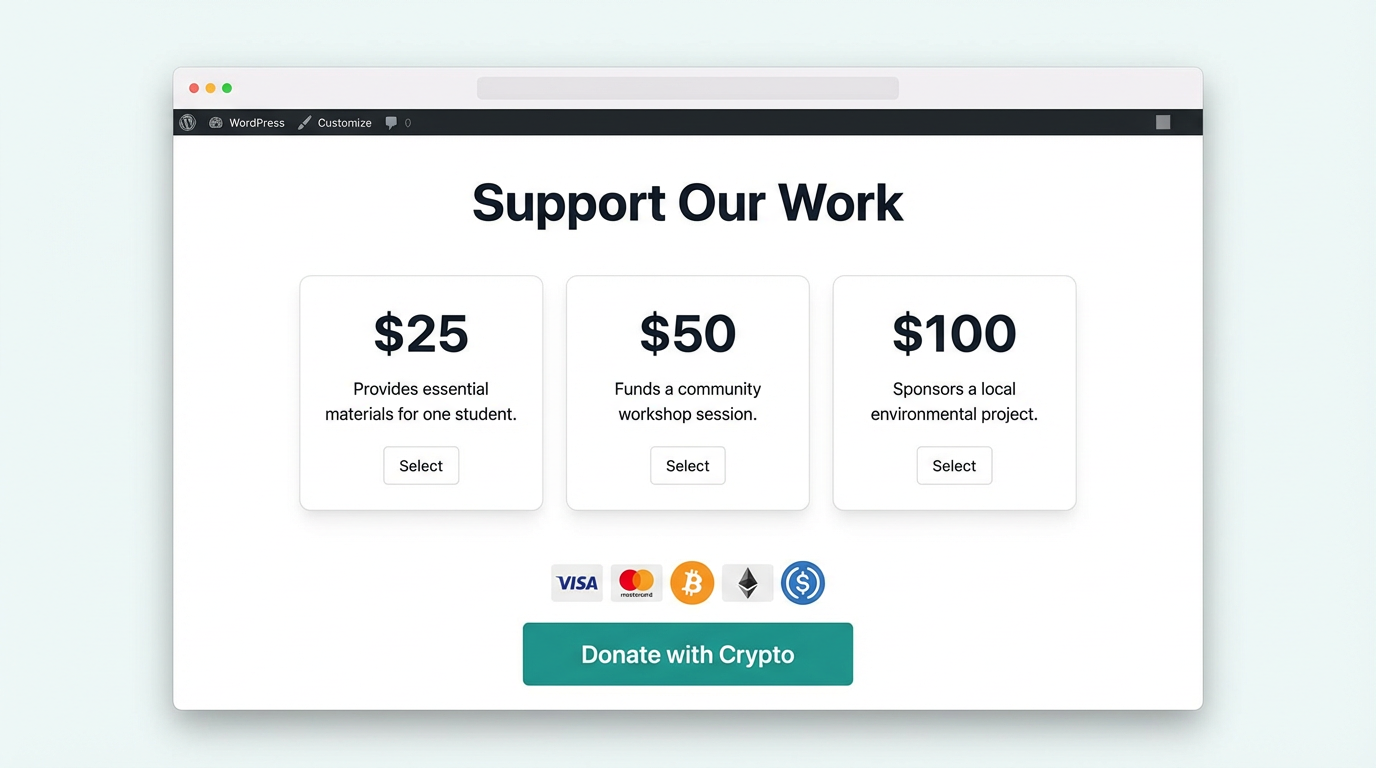
Instead of just listing dollar amounts, tie each donation tier to a tangible outcome. “$25 covers server costs for one month,” “$100 funds a community workshop,” or “$500 sponsors a contributor for one sprint.” This framing gives donors a reason to choose a specific amount and has been shown to increase average donation size by 15% to 25%.
Minimal Checkout Steps
Donation checkout should require as few fields as possible. For crypto donations, the donor does not need to provide a billing address, card number, or phone number. If your WooCommerce checkout asks for these fields, customize it to hide unnecessary fields for the crypto payment method. The ideal flow: select amount → choose crypto → scan QR or copy address → done.
Thank You Page with Transaction Proof
After a donation is confirmed on the blockchain, redirect the donor to a thank you page that includes the transaction hash and a link to the block explorer. This serves as a donation receipt and proof of contribution. For donors who need documentation for tax purposes, this blockchain-verified receipt is more auditable than a traditional payment processor receipt.
Recurring Donation Option
If you use WooCommerce Subscriptions, you can create recurring donation products ($10/month, $25/month). The donor receives a renewal reminder and payment link each period. While crypto recurring donations require the donor to manually approve each payment (unlike auto-charging a credit card), well-designed renewal reminder sequences achieve strong retention rates among committed supporters.
Tax Considerations for Crypto Donations
For Donors
In many jurisdictions, including the United States, donating appreciated cryptocurrency to a qualified nonprofit is tax-advantageous. If a donor bought BTC at $10,000 and donates it when it is worth $60,000, they can claim a $60,000 charitable deduction without paying capital gains tax on the $50,000 appreciation. This makes crypto donations potentially more valuable to the donor than cash donations of the same amount.
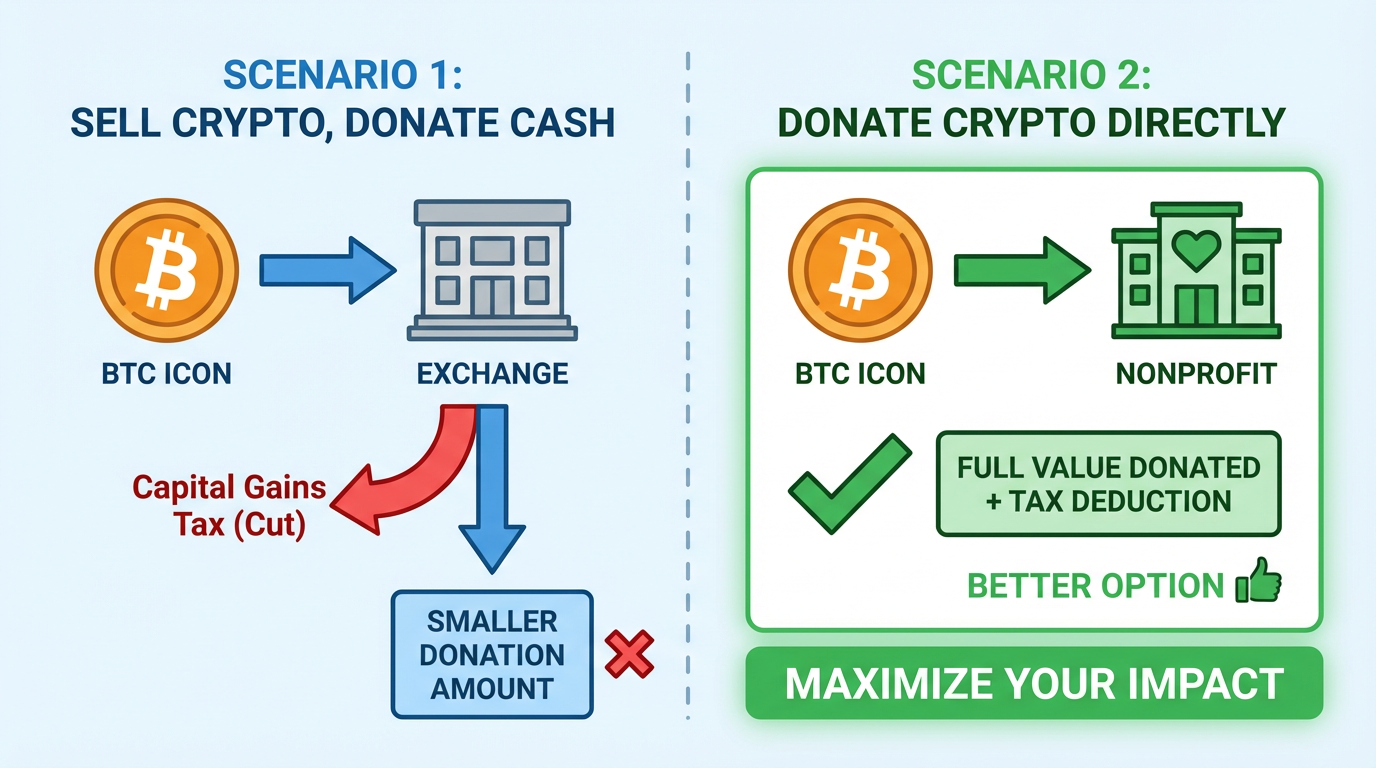
Mentioning this tax benefit on your donation page can significantly increase crypto donation amounts. A simple note — “Donating appreciated crypto may provide tax benefits. Consult your tax advisor.” — reminds donors of the advantage without providing tax advice.
For Recipients
If your organization is a registered nonprofit (501(c)(3) in the U.S.), crypto donations are treated as non-cash charitable contributions. You are required to provide a donation receipt to donors giving more than $250. The receipt should include the date, type, and amount of cryptocurrency received (but not the dollar value — the donor determines that based on the fair market value at the time of donation).
For non-nonprofit recipients (creators, open-source projects, individuals), crypto donations are generally treated as income and must be reported as such. The fair market value of the cryptocurrency at the time of receipt is your taxable income. If you later sell the crypto at a different price, you also realize a capital gain or loss. Use crypto accounting software to track donation receipts and cost basis automatically.
Security Best Practices
Use a hardware wallet. For any organization receiving regular crypto donations, a hardware wallet (Ledger, Trezor) provides the strongest security. The private keys never leave the device, protecting your funds even if your WordPress site or computer is compromised.
Separate donation wallet from operational funds. Keep a dedicated wallet for receiving donations and transfer to a separate wallet for spending or conversion. This creates a clean audit trail and limits exposure if one wallet is compromised.
Enable two-factor authentication on everything. Your WordPress admin, hosting account, exchange accounts (for converting crypto to fiat), and wallet interfaces should all use 2FA. The most common attack vector for crypto theft is compromised accounts, not blockchain vulnerabilities.
Monitor your donation wallet. Set up notifications for incoming transactions on your donation wallet address. Services like Etherscan alerts (for EVM chains) or wallet-specific notification features let you know immediately when a donation arrives, and can alert you to any unauthorized outgoing transactions.
Promoting Your Crypto Donation Option
Add crypto badges to your site. Display “We accept Bitcoin,” “Donate with Crypto,” or supported currency logos on your homepage, sidebar, and donation page. Crypto donors actively look for these signals when deciding where to contribute.
Announce it to your community. If you have a newsletter, social media following, or community forum, announce that you now accept crypto donations. Explain why (lower fees mean more goes to the mission) and link to your donation page. Many crypto holders specifically seek out organizations that accept their preferred currency.
Include wallet addresses in your content. For open-source projects and content creators, adding a “Support this project” section with your wallet address at the bottom of documentation pages, blog posts, or README files catches donors in the moment they are getting value from your work.
Leverage crypto-specific giving events. Giving Tuesday, Bitcoin Pizza Day (May 22), and end-of-year tax optimization season are peak periods for crypto donations. Schedule promotion around these dates to maximize visibility.
Start Accepting Crypto Donations Today
Crypto donations give your WordPress site a direct, low-cost, globally accessible funding channel. Donors send Bitcoin, Ethereum, or stablecoins straight to your wallet at 0.8% processing — a fraction of what traditional donation platforms charge. For nonprofits, the tax advantage of donating appreciated crypto makes it one of the most efficient giving methods available. For creators and open-source projects, it is a censorship-resistant income stream that no platform can shut off.
Aurpay’s WooCommerce plugin turns any WordPress site into a crypto donation platform in about 15 minutes. Support BTC, ETH, USDT, USDC, and 10+ cryptocurrencies across multiple networks — non-custodial, no KYC, and no monthly fees. Install the Aurpay plugin and give your supporters the option to contribute with crypto.

