
How to Set Up a Crypto Tip Jar on Your Website (WordPress & Shopify)
 Ricky
Ricky

A crypto tip jar lets your audience send Bitcoin, USDT, or other tokens directly to your wallet — no platform taking a 5-8% cut, no payout delays, and no account restrictions. Whether you run a blog, podcast, newsletter, or personal portfolio site, adding a crypto tip jar takes less than 30 minutes on WordPress or Shopify. This guide walks you through the exact setup on both platforms using WooCommerce and Shopify, compares fees against Buy Me a Coffee and Ko-fi, and explains which coins and networks keep costs lowest for micro-tips.
Why a Crypto Tip Jar Makes Sense for Creators in 2026
Traditional tipping platforms charge between 5% and 8% per transaction before payment processing fees. Buy Me a Coffee takes 5% of every tip plus Stripe’s 2.9% + $0.30. Ko-fi’s free tier avoids platform fees but still passes along Stripe or PayPal processing costs of 2.9-3.5%. For creators earning $500-2,000/month in tips, that adds up to $50-160/month in lost income.
Crypto tip jars solve this by routing funds directly to your wallet on-chain. There is no intermediary holding your money, no 30-day payout cycle, and no risk of account suspension. Stablecoin tips on networks like Tron (TRC-20) or Polygon cost fractions of a cent in gas fees, making them practical even for $1-5 micro-tips. And because blockchain transactions are irreversible, you never deal with chargebacks — a real concern for creators who have lost income to fraudulent PayPal disputes.
The audience for crypto tipping is growing. A 2025 Triple-A report estimated over 560 million crypto holders globally, and creator-focused communities in Web3, open-source development, and decentralized social media increasingly prefer paying in stablecoins. If even 5-10% of your audience holds crypto, a tip jar captures revenue you are currently leaving on the table.
Use Cases: Who Benefits from a Crypto Tip Jar
The crypto tip jar concept works across a wide range of creator types and website formats. Unlike formal donation pages designed for nonprofits with tax receipts and recurring campaigns, a tip jar is lightweight — a single button or product link that says “buy me a coffee” in crypto.
Bloggers and Newsletter Writers
Independent bloggers and Substack-style newsletter writers can embed a tip jar link at the end of every post. Readers who find value in your analysis can send a $3-5 USDC tip without creating an account on a third-party platform. You receive the funds in your wallet within seconds.
Podcasters and Video Creators
Podcasters often include tip links in show notes. A crypto tip jar URL works identically to a Buy Me a Coffee link — drop it in your episode description and your audience clicks through to a checkout page. For streamers and live content creators, the same approach works for one-time tips outside of platform-specific super chats. See our detailed guide on accepting crypto tips as a streamer for live-streaming-specific workflows.
Open-Source Developers and Personal Sites
Developers who maintain open-source projects often add a “Sponsor” or “Buy me a coffee” link to their GitHub README or personal site. Crypto tip jars are particularly natural here because the audience already uses wallets. You can link directly to a tip product on your WordPress or Shopify site. For more formal sponsorship and bounty workflows, see our guide on crypto payments for open-source developers.
Small Communities and Forums
Discord server admins, subreddit moderators, and niche community leaders who provide free resources can add a tip jar to their community landing page. It signals that you accept voluntary support without gating content behind a paywall.
How a Crypto Tip Jar Works (The Concept)
A crypto tip jar on WordPress or Shopify is not a standalone widget or embedded wallet address. Instead, you create a simple product — call it “Tip Jar,” “Buy Me a Coffee,” or “Support My Work” — and set it up through your store’s normal checkout flow. When a supporter clicks the tip jar link, they land on a product page, select an amount, and pay using their crypto wallet through the Aurpay checkout flow.
This approach has three advantages over pasting a raw wallet address on your site. First, you get a professional checkout page with amount options, order confirmation, and email receipts. Second, you can track tips alongside any other products you sell. Third, you support multiple coins and chains without listing a dozen wallet addresses — the payment gateway handles network selection automatically.
The implementation differs slightly between WordPress (using WooCommerce) and Shopify, but the core idea is the same: create a tip product, install a crypto payment gateway, and share the link.
WordPress Setup: Crypto Tip Jar with WooCommerce + Aurpay
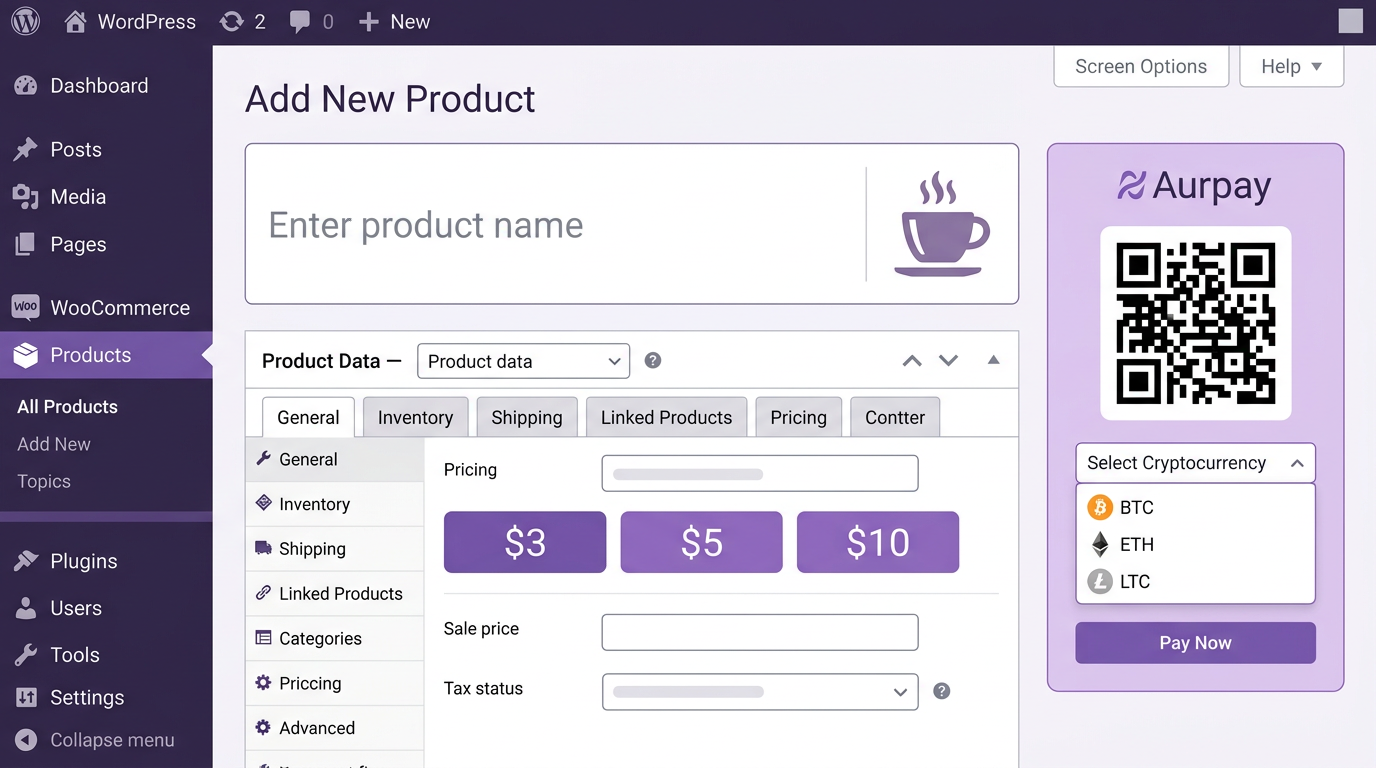
WordPress gives you the most flexibility for customizing your tip jar. You will use WooCommerce (free plugin) to handle the product and checkout, plus the Aurpay WooCommerce plugin to accept crypto payments. Here is the step-by-step process.
Step 1: Install WooCommerce (If Not Already Installed)
Go to your WordPress admin dashboard. Navigate to Plugins → Add New and search for “WooCommerce.” Click Install Now, then Activate. Run through the basic setup wizard — you can skip most of the store configuration since you are only using it for a tip jar. Set your currency to USD (supporters will pay the equivalent in crypto).
Step 2: Install the Aurpay WooCommerce Plugin
In the WordPress admin, go to Plugins → Add New and search for “Aurpay.” Install and activate the plugin. Navigate to WooCommerce → Settings → Payments and enable Aurpay. Enter your wallet addresses for the coins you want to accept — USDT, USDC, BTC, ETH, or any of the 10+ supported tokens. Because Aurpay is non-custodial, funds go directly to these wallets. There is no Aurpay account balance to withdraw from.
Step 3: Create Your Tip Jar Product
Go to Products → Add New. Set the product title to something like “Tip Jar — Support My Work” or “Buy Me a Coffee (Crypto).” For the product type, you have two options:
- Fixed-amount tips: Create a Simple product priced at $3, $5, or $10. If you want multiple tiers, use a Variable product with variations like “Small Coffee ($3),” “Large Coffee ($5),” and “Generous Tip ($10).”
- Custom-amount tips: Install the free “Name Your Price” WooCommerce extension, which lets supporters enter any amount they choose at checkout.
Set the product to Virtual (no shipping required). Add a short description explaining what the tip supports — for example, “Your tip helps me keep publishing weekly market analysis. Every dollar goes directly to my crypto wallet.” Upload a simple product image (a coffee cup icon or your logo works well).
Step 4: Publish and Share the Link
Click Publish. Copy the product URL and place it anywhere your audience can find it: your site’s sidebar, footer, the end of blog posts, your email signature, or social media bios. You can also create a short redirect like yoursite.com/tip using a permalink plugin for a cleaner URL. For a more formal donation setup with recurring giving and campaign pages, see our guide on accepting crypto donations on WordPress.
Shopify Setup: Crypto Tip Jar with the Aurpay App
If your site runs on Shopify, the process is even more streamlined. Shopify handles hosting, SSL, and checkout security out of the box. You create a tip product in your Shopify catalog and enable the Aurpay Shopify app as a payment method.
Step 1: Install the Aurpay Shopify App
Open the Shopify App Store and search for “Aurpay.” Click Add app and authorize the installation. In the Aurpay settings within your Shopify admin, add your wallet addresses for each supported coin and chain. Again, Aurpay never holds your funds — payments settle directly to your wallet on-chain.
Step 2: Create a Tip Jar Product
In your Shopify admin, go to Products → Add product. Name it “Tip Jar” or “Support My Work.” Set the price to your preferred tip amount (e.g., $5). If you want multiple tip tiers, add variants: $3, $5, $10, $25. Mark the product as Digital so Shopify skips shipping at checkout. Write a short description and upload a product image.
Step 3: Create a Dedicated Tip Page (Optional)
For a cleaner experience, create a standalone page at Online Store → Pages → Add page. Add a brief message explaining your tip jar, then embed a Buy button for the tip product using Shopify’s built-in Buy Button sales channel. This gives you a single, clean URL you can share everywhere — no need to send people to a full product catalog.
Step 4: Share and Promote
Copy the product link or your dedicated tip page URL. Add it to your site navigation, link tree, or social media profiles. Shopify’s checkout handles the rest — when a supporter clicks through, they see the Aurpay payment option alongside any other payment methods you have enabled, select their preferred coin and network, and complete the transaction from their wallet.
Supported Coins and Networks: Picking the Right Ones for Tips
The coin and network your supporters use directly affects transaction costs. For micro-tips in the $1-10 range, high-fee networks like Ethereum mainnet (where a single transfer can cost $0.50-5.00 in gas) eat into the tip amount. Aurpay supports 10+ chains, so you can guide your audience toward low-cost options.
| Coin / Network | Typical Gas Fee | Confirmation Time | Best For |
|---|---|---|---|
| USDT on Tron (TRC-20) | $0.10 – $0.30 | ~3 seconds | Global tips, stablecoin preference |
| USDC on Polygon | $0.01 – $0.05 | ~2 seconds | Lowest-cost stablecoin tips |
| USDC on Arbitrum | $0.02 – $0.10 | ~1 second | Ethereum ecosystem users |
| USDT on BSC (BEP-20) | $0.03 – $0.10 | ~3 seconds | Asia-Pacific audience |
| ETH on Ethereum | $0.50 – $5.00 | ~15 seconds | Larger tips ($50+) |
| BTC on Bitcoin | $0.50 – $3.00 | ~10 minutes | BTC-native audience, larger amounts |
For most creators, recommending USDC on Polygon or USDT on Tron in your tip jar description gives supporters the lowest-friction experience. You can mention this on your tip product page: “For the lowest fees, select USDC on Polygon or USDT on Tron at checkout.”
Fee Comparison: Buy Me a Coffee vs. Ko-fi vs. Crypto Tip Jar
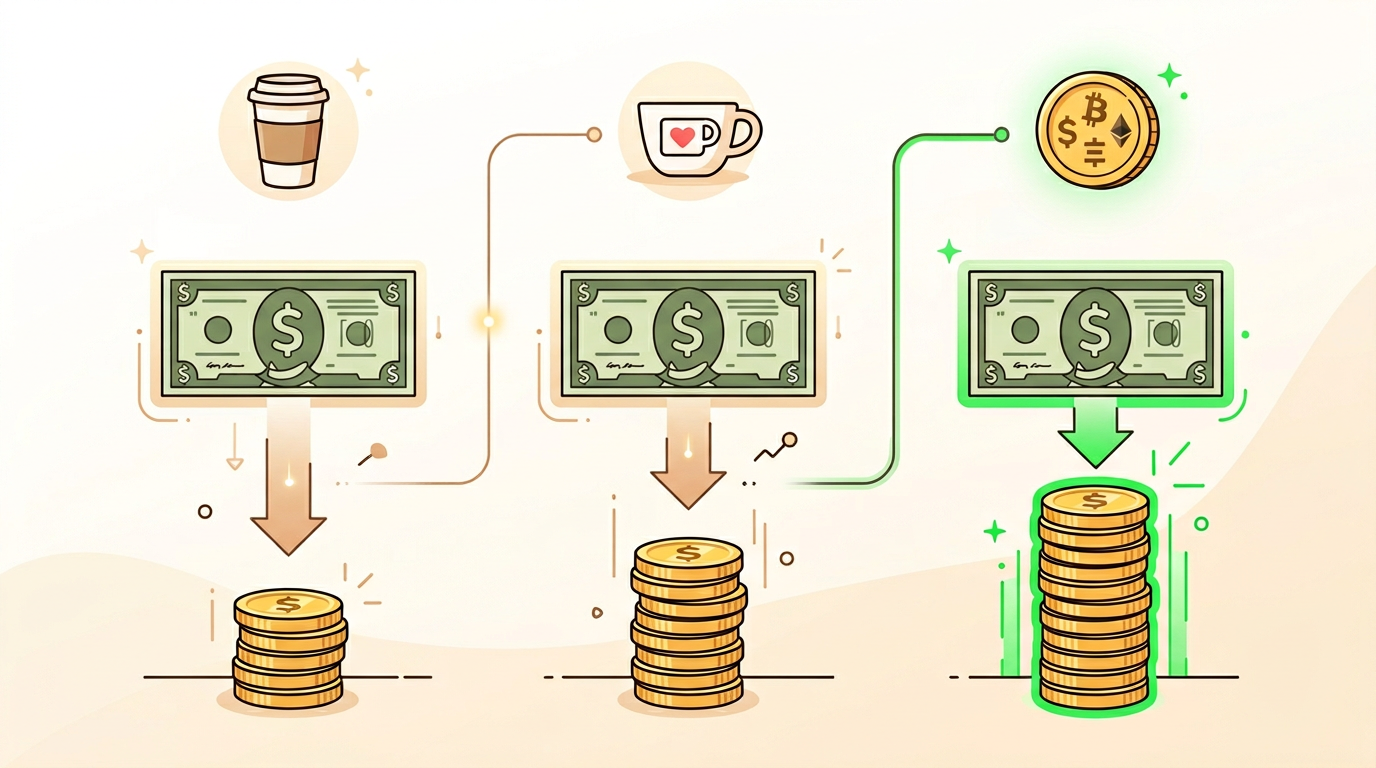
The real advantage of a crypto tip jar becomes clear when you compare total fees across platforms. Here is what each option costs on a $5 tip and a $50 tip.
| Platform | Platform Fee | Payment Processing | You Keep ($5 Tip) | You Keep ($50 Tip) |
|---|---|---|---|---|
| Buy Me a Coffee | 5% | 2.9% + $0.30 (Stripe) | $4.26 | $45.55 |
| Ko-fi (Free Tier) | 0% | 2.9% + $0.30 (Stripe/PayPal) | $4.56 | $48.25 |
| Ko-fi (Gold — $6/mo) | 0% | 2.9% + $0.30 | $4.56* | $48.25* |
| Crypto Tip Jar (Aurpay) | 0.8% | $0.01-0.30 (network gas) | $4.92 – $4.66 | $49.30 – $49.60 |
*Ko-fi Gold adds features like shop and memberships but does not reduce Stripe/PayPal processing fees.
On a $5 tip, the difference is modest — you keep roughly $0.30-0.60 more with crypto. But the gap widens at scale. A creator receiving 200 tips per month at an average of $8 each ($1,600/month) would keep approximately $1,487 through Buy Me a Coffee versus $1,575-1,585 through a crypto tip jar — saving $88-98/month or over $1,000/year. The savings come from eliminating the layered fee structure of platform percentage plus payment processor percentage plus fixed per-transaction charge.
There is a practical trade-off: Buy Me a Coffee and Ko-fi accept credit and debit cards, which your entire audience can use. A crypto tip jar requires supporters to have a wallet and tokens. The best strategy for most creators is to offer both — keep your existing tip platform for fiat payers and add a crypto option to capture the growing segment of your audience that prefers paying in stablecoins or Bitcoin.
Tip Jar vs. Formal Donations Page: When to Use Which
If you are a registered nonprofit or running a fundraising campaign with specific goals, tax-deductible receipts, and recurring donor management, a crypto tip jar is not the right tool. You need a formal crypto donation page on WordPress with campaign tracking, donor communications, and compliance documentation.
A tip jar is designed for individuals and small creators who want a simple, low-friction way to accept voluntary support. There is no campaign goal, no donor management, and no tax receipt workflow. Think of it as the digital equivalent of a guitar case open on the sidewalk — anyone who appreciates your work can toss in a few dollars (or a few USDC) without paperwork.
Tips for Maximizing Your Crypto Tip Jar Revenue
Place the Link Where People See It
The most effective placement is immediately after your best content. End every blog post, newsletter, and podcast episode with a clear call to action: “If this was useful, you can support my work with a crypto tip.” Include the link in your site footer, your email signature, and your social media bio. Visibility drives tips — most supporters are willing to tip but will not go searching for the option.
Offer Multiple Tip Amounts
Giving supporters a choice between $3, $5, $10, and $25 increases the average tip. Research from behavioral economics shows that when presented with a range, people tend to pick the second or third option. A $3 / $5 / $10 tier typically yields an average around $6-7 per tip.
Tell People What Their Tip Supports
Specificity increases generosity. Instead of “support my work,” try “Your $5 tip covers one hour of research for my weekly crypto market briefing.” Supporters want to know their money has impact, even at small amounts.
Mention Low Network Fees
Crypto-native supporters appreciate knowing you have thought about fees. A note on your tip page like “Tips via USDC on Polygon cost less than $0.05 in network fees — almost all of your tip reaches me directly” builds trust and encourages use of efficient networks.
Get Started: Add a Crypto Tip Jar Today
Setting up a crypto tip jar takes under 30 minutes on either WordPress or Shopify. You create a product, install the Aurpay payment gateway, and share the link. There is no KYC process, no platform approval, and no middleman holding your funds. Tips settle directly to your wallet on-chain, and Aurpay’s 0.8% fee is a fraction of what traditional tipping platforms charge after their layered fee structures.
Aurpay supports USDT, USDC, DAI, BTC, ETH, BNB, MATIC, and more across 10+ blockchain networks including Ethereum, Tron, BSC, Polygon, and Arbitrum. Whether your audience prefers stablecoins or Bitcoin, the checkout flow handles network selection automatically.
Start accepting crypto tips with Aurpay — no KYC, no middleman, funds go straight to your wallet. Install the WooCommerce plugin or the Shopify app and have your tip jar live before your next post goes out.

